Runbook template for recurring production issues you can reuse
Use a runbook template for recurring production issues to turn frequent errors into clear steps with commands, owners, and verification checks your team can follow.
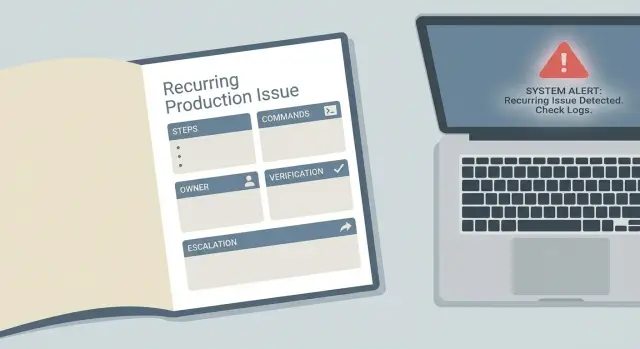
What a runbook is and why recurring issues need one
A runbook is a short, practical set of instructions that helps someone fix a known production problem the same way every time. It turns tribal knowledge ("try restarting it" or "check the logs") into clear steps, with commands, owners, and checks that confirm the system is healthy again.
A runbook is not a postmortem. A postmortem explains what happened, why it happened, and what you’ll change so it doesn’t happen again. A runbook is what you use during the incident, when time is tight and you need safe, repeatable actions.
Runbooks help most when issues repeat. For example: the same alert fires every week (CPU spikes, queue backlog, failed cron), support keeps getting the same user report ("login loop", "payments stuck"), deploys often trigger a predictable break (migrations, config, caching), or a fix exists but only one person remembers it.
Here’s a simple example: after some deploys, users report they can’t log in. Without a runbook, the on-call person guesses: roll back, restart, change env vars, ping teammates. With a runbook, they follow a proven path: confirm the symptom, check the few signals that matter, apply the safest corrective action, and verify logins work again.
A good runbook reduces guesswork and panic. It won’t eliminate incidents, and it won’t replace engineering work to remove the root cause. What it does is buy you time, lower risk (fewer random changes in prod), and make the response consistent, even when the original builder isn’t available.
Choose the right errors to turn into runbooks
Not every alert deserves a runbook. Start with problems that keep pulling people into the same loop: the same Slack questions, the same “who knows how to fix this?” replies, and the same manual steps that live in someone’s memory.
Pick issues that either happen often or hurt the business when they hit (lost sign-ins, failed payments, stuck jobs). If you can’t explain a reliable workaround yet, park it for later and write a short “known symptoms” note instead.
A simple filter for your first 3 to 5 runbooks:
- Repeats: it has happened more than once in the last few weeks.
- Impact: it blocks customers or revenue, even if it’s rare.
- Predictability: you have a known workaround, even if the root cause isn’t fully understood.
- Time sink: it regularly takes more than 15 to 30 minutes to resolve.
- Ownership: there’s a clear team that can maintain it.
Most teams find early wins in the same areas: login and auth flows (tokens, sessions, redirect loops), payments and webhooks (retries, signature checks), background jobs and queues (stuck workers, poison messages), and API timeouts and rate limits (slow endpoints, upstream failures).
Runbook structure: the fields to include every time
A runbook only helps if it’s easy to scan under stress. A consistent structure also makes the next runbook faster to write.
Start with a header that answers the basics at a glance:
- Incident name (use the same wording as your alert)
- Severity level
- Affected service or feature
- Last updated (name and date)
If the runbook is stale, people will hesitate to trust it.
Next, add a one-line goal that describes what “fixed” means in plain language. Not “restart the server,” but “users can log in again and error rate is back to normal for 10 minutes.” This prevents people from stopping too early.
Be clear about who the runbook is for. A support person needs different detail than an on-call engineer, a founder, or a contractor. If the intended reader is non-technical, include simple checks and where to click, not just internal jargon.
List required access up front so people don’t hit a wall mid-incident:
- Dashboards (metrics and error tracking)
- Logs (app and infrastructure)
- Admin panel (user and billing tools)
- Cloud console (deployments and secrets)
- Feature flag or config system
Then keep a few standard fields so every runbook feels familiar: prerequisites and safety notes (what not to do), escalation contact, rollback note, and a small verification block for how to confirm recovery.
Step-by-step actions people can follow
Start with a safety note. Put the risky stuff up front so nobody “helpfully” makes it worse at 2 a.m. Be specific: “Do not delete data, rotate keys, or restart a whole cluster without approval from the incident lead.” If a step can cause downtime, say it plainly.
Write steps as small actions someone can do in about a minute. Each step should start with a verb (Check, Compare, Run, Roll back). Keep each step focused: one step, one goal, one expected result.
When you include commands, make copy-paste predictable. Use placeholders and say where they come from (ticket, logs, dashboard). Keep read-only checks first, then changes.
# Set placeholders first
export ENV=prod
export SERVICE=api
export REQUEST_ID="<REQUEST_ID_FROM_LOGS>"

# Read-only: confirm the error is happening
kubectl -n $ENV logs deploy/$SERVICE --since=10m | grep "$REQUEST_ID" | tail -n 5

# Expected: lines include "ERROR" and the same REQUEST_ID
After important steps, add “what you should see.” If the expected output is empty, say so. If success means a metric drops, name the metric and the normal range.
Build in a clear stop point. If the logs show a different error than the runbook assumes, or if a command returns permission denied, the next step isn’t “try harder.” It’s:
- Stop changes
- Capture the key signals (timestamp, request ID, last deploy)
- Escalate to the owner listed for that system
Triage and diagnosis: find the cause without guessing
When an alert fires, your first goal is to learn the shape of the problem, not to hunt for a clever fix. The runbook should make the first 10 minutes predictable, even when the system is noisy.
Start with scope. Is it one user (account data), one region (edge or routing), or everyone (core dependency)? A fast answer keeps you from digging in the wrong place.
Fast checks that often explain “sudden” failures
Before deep logs, check the usual suspects:
- Recent deploys, rollouts, or migrations in the last 30 to 60 minutes
- Config changes (env vars, secrets, connection strings) and expired credentials
- Feature flags or experiments that changed targeting rules
- Dependency incidents (database, queue, auth provider) and rate limits
- Capacity shifts (autoscaling stuck, new traffic source, cron job spike)
Then grab a few numbers that help you pick a direction: error rate trend, latency, queue depth, and database connection count (or saturation). If you can, compare “now” to “last hour” and “same time yesterday” to spot what changed.
Find the first useful error message
Logs can be endless. Filter by the failing endpoint or job name, then look for the earliest error in the chain (not the last stack trace). Pick a single request ID, user ID, or tight timestamp window around the spike and follow it until you see the first “why.”
If monitoring is missing (common in rushed prototypes), the runbook should say what to capture manually before you change anything:
- Exact time the issue started and how it was detected
- A few example user IDs or request IDs that fail
- One full error response and one successful response (if any)
- Current app version/commit and active feature flag state
- Screenshot or export of key graphs you do have
That small packet of evidence prevents guesswork and makes handoffs cleaner.
Owners and escalation: who does what and when
A runbook only works when it names who’s responsible. “Owner” should be a role (not just a person) that’s on-call or accountable for the service. Add a backup owner role for when the primary is asleep, on PTO, or already handling another incident.
Also define who can approve risky actions. Say what “risky” means for your team: anything that can cause data loss, downtime, security exposure, or customer lockout. Examples include rolling back a database migration, rotating auth secrets, disabling a security control, or running a destructive cleanup script.
Write down when to page and when to escalate. Vague rules like “page if it’s bad” create delays.
- Page immediately if login errors exceed X% for Y minutes, or if a key endpoint is returning 5xx.
- Page if any customer-impacting issue lasts longer than Z minutes without a confirmed path to recovery.
- Page security right away if you suspect exposed secrets, unexpected admin access, or possible injection.
- Escalate if the fix requires an approval you don’t have.
- Escalate if you can’t verify improvement after one safe mitigation.
Then list the escalation order so nobody debates it mid-incident:
- Primary on-call
- Backup on-call
- Tech lead for the service
- Security (if auth, secrets, or suspicious traffic is involved)
- Vendor support (cloud, payments, email) when evidence points outside your code
Add a short note for support teams: one or two sentences to tell users, plus what not to promise. Example: “We’re investigating login failures and working on a fix. Your data is safe. Next update in 30 minutes.”
Verification checks: how to confirm the fix actually worked
A fix isn’t real until you can prove it. Verification checks are small, repeatable measurements you run right after the change to confirm the system is healthy again.
Match checks to what users experienced. If the issue was login failures, don’t stop at “errors went down.” Confirm people can actually log in, and confirm the error rate and auth service health look normal.
Keep it simple: one smoke test + a few metrics
Aim for a smoke test anyone on-call can run, plus 2 to 3 signals from monitoring:
- Smoke test (user flow): do one real action end to end (log in, create a record, place a test checkout) and define what “success” looks like.
- Key metrics: pick a few that should move immediately (5xx rate, auth failures, queue depth, latency p95, error logs for the specific endpoint).
- System checks: confirm dependencies are healthy (database connections, cache hit rate, third-party status if involved).
- Regression spot-check: repeat the action that triggered the incident (same route, same payload shape, same feature flag state).
- Guardrails: verify no secrets or debug settings were exposed during the fix.
If the fix was a rollback, add rollback verification too: confirm version X is live in production, confirm the failing endpoint returns 200, and confirm the error rate returns to baseline.
Set a monitoring window and a clear “done” line
After the fix, watch the right charts and logs for 15 to 60 minutes. Write what you expect to stay stable, and what threshold means the issue is back.
End with a single “done” line, like: “Done when smoke test passes twice, error rate stays under 1% for 30 minutes, and no new related alerts fire.” Then document:
- what changed (commit, config, flag, deploy or rollback)
- what checks you ran and the results
- what you’ll do next time to catch it earlier
Commands section: make copy-paste safe and predictable
The fastest way to turn a runbook into a real tool (not a doc nobody trusts) is to make commands safe to copy and hard to misuse. Treat the commands block like a mini product: clear inputs, clear outputs, clear warnings.
Start with read-only commands. Put write commands (restarts, config changes, migrations) later, and add a one-line warning above them.
A pattern that works well:
- Use placeholders like
<service>,<env>,<region>,<user_id>,<incident_id>and show one filled “known good” example. - Add “DO NOT RUN” commands when people commonly reach for them under stress.
- State required permissions up front (role name, system access, and whether prod write access is needed).
- Require a change log entry: time, exact command, result, and the ticket/incident ID.
- Say what “success” looks like for each command (expected output or a number that should change).
# Read-only checks (safe)
export ENV=<prod|staging>
export SERVICE=<api>

# Confirm current deploy + error rate
kubectl -n $ENV get deploy $SERVICE
kubectl -n $ENV logs deploy/$SERVICE --since=10m | tail -n 50

# Known good example
# ENV=prod SERVICE=auth-api

# Write actions (DANGER: prod impact)
# Only run with <role_name> and after confirming incident <incident_id>
# Log: <time> <command> <result> <incident_id>

# DO NOT RUN: resets all sessions (use only with approval)
# redis-cli -h <host> FLUSHALL
If you inherited unclear deployment commands or AI-generated ops scripts, get them reviewed before they become “standard.” Small mistakes (wrong namespace, unsafe wildcard, missing confirmation step) can create repeat incidents.
Common mistakes that make runbooks useless
Runbooks fail under pressure for a few predictable reasons, and most of them are about clarity.
The first trap is accountability. A runbook that says “someone from backend should check logs” will get ignored at 2 a.m. Every recurring issue needs a named owner (role or person) and a clear escalation path.
Another common failure is hidden knowledge. Steps that rely on “the usual password,” a private dashboard, or a one-off SSH key aren’t steps, they’re hopes. If access is sensitive, say where credentials are stored and what minimum permissions are needed. If access isn’t available during an incident, say so and point to the fallback.
Watch for these problems before you publish:
- No owner or on-call contact
- Steps that assume tribal knowledge, like where logs live or which environment is “the real one”
- No verification checks, so the symptom stops briefly and comes back
- Commands that have drifted after infra changes (renamed services, new regions, different deploy tool)
- “Fixes” that are too risky or too vague, like “restart everything” or “change config carefully”
Verification is the piece people skip, and it’s the one that prevents repeat pages. After each fix, include quick proof like “login succeeds for a test user,” “error rate drops below X,” and “no new 5xx for 10 minutes.”
Finally, stress-proof the wording. If a step can cause damage, spell out safe limits and a rollback.
Example runbook: recurring login failures after a deploy
This sample runbook covers a common pattern: logins break right after a deployment.
Scenario: 5 to 10 minutes after deploy, users report they can’t sign in. The site loads, but the login button spins and then shows “Something went wrong.”
Alert signal: API error rate for /auth/login jumps from <1% to 20%+. Support tickets mention “password correct, still fails.”
Owners: On-call engineer (primary), release captain (approver for rollback), support lead (user comms).
Triage and diagnosis
Confirm scope and the most recent change before you try fixes.
- Confirm impact: new users, existing users, or both? One region or all?
- Check last deploy: what changed in auth, config, env vars, or database migrations?
- Inspect logs for the first failure after deploy time (look for 401 vs 500, missing env var, token signing errors).
- Check dependencies: identity provider, database, cache, email service status.
Mitigation steps (choose the safest that applies)
Use the least disruptive action first, and stop once the system recovers.
- Flip the login-related feature flag off (if available) to route traffic to the previous path.
- Revert the auth config to the last known good version (common: callback URL, JWT secret, cookie domain).
- Restart the auth service to pick up corrected config (only after verifying secrets are present).
- Roll back to the previous deployment if errors persist after config revert.
Verification checks
Confirm both user experience and metrics.
- Complete a real login flow (test user) and confirm a session is created.
- Error rate returns to baseline for 10 to 15 minutes, and no new spikes appear in logs.
After the incident, update the runbook with the exact log pattern, the config key that caused the break, the rollback decision rule, and a pre-deploy check (for example: “validate required auth env vars exist in production”).
Next steps: keep runbooks updated and reduce repeat incidents
A runbook only saves time if it stays true to how the system works today. The fastest way to end up with stale docs is to treat a runbook as “done” after you write it once.
After every incident, take 10 minutes while the details are fresh and make small edits: update the symptom wording, add the missing log line that would’ve helped, and capture any new gotchas from the fix.
Before you close the ticket, do a quick usability check:
- Header is complete (service, environment, last updated, known risks)
- Owners and escalation path are set (and still accurate)
- Steps were tested recently (not just written)
- Verification checks are defined (what success looks like)
- Commands are safe to copy-paste (scoped, reversible, and documented)
Set a simple review cadence. Monthly works for busy teams, but better triggers are “after each incident” and “after each refactor or dependency upgrade” for the services that break most.
If you notice the same failures coming back after every deploy, it may not be a runbook problem. It can be a codebase problem, especially in apps generated by AI tools where authentication, secrets, and architecture look fine in a demo but fall apart in production.
If you’re inheriting an AI-generated app and keep firefighting the same breakages, FixMyMess (fixmymess.ai) focuses on diagnosing and repairing those codebases: logic repair, security hardening, refactoring, and deployment prep. A short audit can turn repeat “tribal fixes” into stable changes, and give you runbooks that match how the system actually behaves.
FAQ
What is a runbook, in plain terms?
A runbook is a short set of steps you follow during an incident to restore service safely and consistently. It focuses on what to check, what to do, and how to confirm recovery, even if the original builder isn’t available.
How is a runbook different from a postmortem?
Use a runbook while the incident is happening and you need repeatable actions under time pressure. Use a postmortem after things are stable to explain the root cause and decide what to change so it doesn’t happen again.
Which incidents should I turn into runbooks first?
Start with issues that repeat or have high business impact, like login failures, payment problems, stuck background jobs, or frequent deploy breakages. If you don’t have a reliable workaround yet, write a short “symptoms and what to capture” note first and turn it into a runbook once you learn the safe fix.
What should every runbook include at the top?
A useful header names the incident the same way your alert does, the severity, the affected service, and when it was last updated and by whom. Add a one-line goal that defines what “fixed” means so people don’t stop early.
How do I handle access and permissions in a runbook?
Put required access up front so nobody gets blocked mid-incident, such as logs, dashboards, admin tools, and deployment or cloud permissions. If access is restricted, state where to request it and what the fallback is when you can’t get access quickly.
How do I write steps that actually work under pressure?
Make each step a small action someone can complete in about a minute, starting with a verb and an expected result. Lead with read-only checks, then move to safe mitigations, and only then include risky changes with a clear warning and who can approve them.
What’s the fastest way to triage without guessing?
Decide scope first by checking whether it affects one user, one region, or everyone, then look for what changed recently like a deploy, config edit, or expired credential. Next, isolate one failing request or job and find the first useful error in the chain instead of chasing the last stack trace.
How do I verify the fix actually worked?
Verification should match the user pain and prove it’s resolved, not just “errors went down.” Run one simple smoke test of the real user flow and confirm a small set of metrics stays normal for a defined window, like 15 to 60 minutes.
How do I make commands safe to copy and hard to misuse?
Treat copy-paste as a safety problem: use clear placeholders, scope commands to the right environment, and say what output you expect. Put dangerous commands later with explicit warnings, and require logging what was run, when, and what happened so you can audit changes afterward.
Why do runbooks still fail, and what do I do if the same incident keeps coming back?
Runbooks fail when there’s no owner, steps rely on private tribal knowledge, or there’s no clear “stop and escalate” point. If you’re seeing repeated breakages in an AI-generated app, the quickest path may be fixing the underlying code and deployment setup; FixMyMess can audit the codebase and turn recurring incidents into stable fixes plus runbooks your team can trust.