Secure file sharing for document upload apps: key questions
Secure file sharing for document upload apps starts with the right questions about expiring links, access checks, and what still works after users are removed.
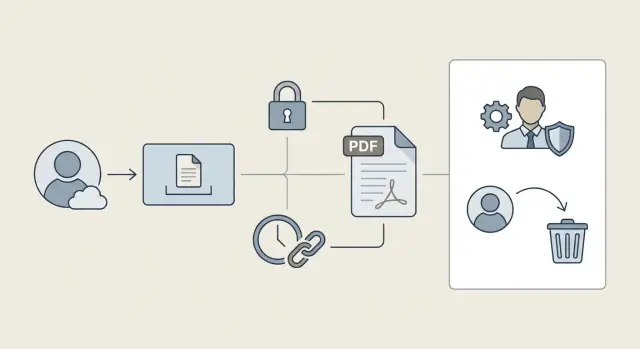
Why document uploads turn into a security problem
A public marketing page is meant to be seen. An uploaded document is usually the opposite. It might be a contract, an ID scan, a health form, a pitch deck, or an invoice. The damage is bigger because these files often contain personal data, company secrets, or both.
The risk usually comes from a gap between “who should have access” and “how the app actually grants access.” Many apps default to “here’s a link.” If the link works, the file loads. That’s convenient, but it’s also easy to mis-share.
Real leaks tend to be boring:
- Someone forwards a link to a personal email or a group chat, and it keeps working.
- A user stays logged in on a shared device, and the next person opens old documents.
- An old session stays valid longer than expected, so a removed user still has a working tab.
- A file gets cached or downloaded, and you lose track of where it goes next.
What counts as “safe enough” depends on the stakes. A small internal tool might accept more friction (frequent re-auth, short link lifetimes) to reduce exposure. Regulated apps (finance, healthcare, schools) usually need stricter rules, audit logs, and predictable revocation when roles change.
A practical way to map your risk is to write down the access story for one file:
- Who owns it (the uploader, an org, a project)?
- Who can view it (roles, teams, specific users)?
- Who can share it (nobody, anyone in the org, only admins)?
- When should access end (project closed, contract ends, user removed)?
- What proof is required at view time (logged-in session, one-time code, signed link)?
If you can’t answer those in plain words, your code probably can’t enforce them reliably either.
How file links usually work (and where they fail)
Most document upload apps end up sharing files through a link. That can be safe, but the details decide whether you’re enforcing real permissions or quietly relying on “anyone with the link.”
Teams usually ship one of these models:
- A direct file URL (points straight at the file)
- A share link (a special URL, sometimes with an expiry)
- An email “attachment replacement” (the app emails a link instead of a file)
Where the file lives changes everything. Some apps store uploads on the same server as the app. Others use object storage (an S3-style bucket) and only keep metadata in the database. Some use a third-party document provider. The mistake is assuming the storage location is secure by default. Storage can be private and still be shared incorrectly.
The biggest difference is “anyone with the link” vs “only logged-in users.” An “anyone with the link” model often skips identity checks and treats the link itself as the key. That might be acceptable for public documents, but it’s risky for contracts, IDs, invoices, medical files, and anything regulated.
The most common failure is confusing a hidden URL with access control. A long random-looking path isn’t a permission system. Links get copied into chats, forwarded by email, saved in browser history, captured in screenshots, and sometimes logged by tools you didn’t think about.
Here’s how link-based sharing typically breaks:
- Links never expire, so old shares stay valid for years.
- Links still work after a user is removed from a workspace or project.
- The app checks “is the user logged in?” but not “is this user allowed to access this file?”
- The storage URL is public, so the app’s permissions don’t matter.
- The link is guessable (for example, an incrementing ID).
A concrete example: you remove a contractor on Friday, but the share link they bookmarked still opens files on Monday because the link bypasses your permission checks.
Questions to ask about link expiry
Expiry is one of the easiest wins, but only if you’re clear on what should expire and what shouldn’t. A link that never expires turns a small mistake into a long-term leak.
If files are sensitive (IDs, contracts, medical forms), links should usually expire. The time window should match real behavior: minutes for one-time verification, hours for “review and sign today,” or a few days for client onboarding. If you can’t pick a window, that’s often a signal you need a different sharing model (like “request access” instead of “anyone with the link”).
Clarify what “expiry” actually covers
Many apps say a link “expires,” but only one part of the chain does. Be specific about what you’re expiring:
- The link token (the thing in the URL)
- The download session (a short-lived permission after clicking)
- Cached copies (browser cache, device downloads, email forwarding)
- The underlying permission to the file (can the user still access it other ways?)
If only the token expires, someone may still have access through another route. If only the session expires, a forwarded link may still work.
If users need longer access, avoid making one URL permanent. A safer pattern is short-lived links generated on demand from inside the app (after login), or a “renew link” action that issues a fresh token and invalidates the old one. That way, “long access” means the user can keep requesting access, not that the same URL lives forever.
Also think through the moment an expired link is opened. Don’t show a vague error. Say “This link has expired,” then offer a safe recovery path: sign in to request a new link, or contact the file owner to re-share. Avoid auto-redirecting to the file after login unless you re-check permissions first.
Questions to ask about access checks
Access checks are the difference between “the UI looks locked down” and “the file is actually protected.” You want the same answer every time a download happens: the server checks, not the browser.
What gets checked on every download request?
Ask what happens when someone hits the download endpoint directly (or refreshes a saved link). The authorization check must run on every request, not just when the user first opens a page.
A simple test: copy a download URL, sign out, then try again. If it still works, your check is probably happening in the front end only.
How do you prove the requester is allowed?
A good policy is explicit and easy to explain. In backend code, you should be able to point to a clear rule like “user is the owner,” “user is in the same team with a role that allows downloads,” or “user was explicitly shared this document.” If you can’t point to a rule, access is often based on assumptions.
While reading the download flow, ask:
- On the server, do we check ownership, team membership, and role permissions before returning the file?
- If the request includes a
fileId, do we verify the authenticated user can access that specific file? - If the app uses direct storage URLs, can someone reuse them outside the app?
- If we use signed URLs, are they short-lived and tied to the right user and file?
- Do we record who accessed what, when, and the result (allowed or denied)?
One common failure is trusting what the browser sends. A user can change fileId=123 to fileId=124. Your backend must treat every ID from the client as untrusted input and verify it against your database rules.
Logging matters too. You don’t need heavy analytics, but you do want an audit trail: user, document, timestamp, and result. It’s the fastest way to spot leaks and prove you fixed them.
What happens after a user is removed
“Removed” can mean different things, and your security depends on which one you actually implement. Is the person deactivated but still in the org? Did their role change from admin to viewer? Or were they fully removed from the organization and all teams? Write down the states your app supports, because each state should trigger different access rules.
The big risk is treating removal as one event. In practice, it’s several doors you need to close: share links, active sessions, remembered devices, and any cached tokens.
Revocation timing
Decide how fast access should be cut off. For sensitive documents, revocation should be immediate. “Within an hour” sounds fine until you remember a copied link can be opened many times in that hour.
A few questions that uncover most revocation bugs:
- If a user is removed, do share links they created still work?
- If a user is removed, do share links sent to them still work?
- Can a removed user open a file from an old browser session without logging in again?
- Do mobile apps keep tokens that stay valid for days?
- When a link is used, do we re-check permissions right then, or only when the link was created?
A common failure is “signed link only” access. The link is valid, so the file downloads, even though the user is gone. Safer behavior is to treat the signed link as a delivery mechanism, not authorization. The download path should still confirm the requester (or the org context) is allowed right now.
File ownership and lifecycle
Removal also raises a basic question: what happens to the files they uploaded? If you do nothing, you can end up with orphaned documents that nobody owns but many people can still reach.
Pick a clear policy and make it visible to admins. Common options include transferring ownership to the org, keeping files but revoking the user’s access, deleting after a grace period, or allowing export for compliance.
A safer file sharing setup (step by step)
Start by writing your rules in plain words. Who can view a document? Who can download it? Can they share it again, or only inside your app? If you can’t explain the rule in one sentence, users will find edge cases you missed.
Next, pick a sharing model that matches your risk. Public never-ending links are the easiest to build and the easiest to leak. Most teams land on invite-only access, with short-lived links used for convenience rather than as the main gate.
Build it so every request is checked
Treat every file request like a normal page request. The server should verify who the user is and whether they can access that specific file right now.
A solid baseline looks like this:
- Store files privately (not publicly readable).
- Map each file to an owner plus allowed users, teams, and roles.
- Require login for access, even if you also use signed links.
- Generate short-lived download links only after permission is confirmed.
- Keep sharing actions inside the app (invites, roles, approvals).
Handle expiry, revocation, and monitoring
Expiry is only half the story. You also need revocation that works when access changes. If a user is removed from a workspace, their access should end immediately, even if they saved an old link.
Add lightweight logging so you can spot problems early: which user downloaded which file, when, and whether it was allowed. If one account downloads 200 files in a minute, you want to see it.
Finally, test with real scenarios before launch: a user removed mid-session, a forwarded link, a role change from manager to viewer, and a file moved to a different project.
Common mistakes that lead to document leaks
Most document leaks aren’t fancy attacks. They happen because the sharing flow was built for speed, then never revisited when real users, contractors, and support staff started relying on it.
A classic example is the “simple” permanent link. It works in a demo, but it becomes a long-lived backdoor. Months later, someone opens it from an old email thread or a saved chat message, even after roles and teams changed.
The same mistakes show up again and again:
- Access is checked on the page, but not when the file is served.
- Raw storage URLs are shareable, which bypasses app rules.
- Links expire, but tokens aren’t tied to a user or permission.
- Signing keys or secrets leak into the client or logs.
- The app treats “download” as the end of the story, even though users can re-share outside the system.
The “UI check only” bug is especially sneaky: the list page hides documents correctly, so everything looks secure. But if the file is served from a public path, or a backend route that doesn’t re-check permissions, a user can still open it by reusing an old link.
Quick checks you can do before shipping
You don’t need fancy tools to catch most leaks. Use a browser, two test users, and a couple of uploaded files.
Start with your share link. Open it in a private/incognito window where you’re not logged in. Ask: what exactly lets this load? If the file opens with no sign-in, your link is acting like a password. That’s only acceptable if it’s unguessable, short-lived, and tied to the right permissions.
Quick checks that catch most issues:
- Private window test: open a share link while logged out.
- Removal test: remove a test user from the team, then try their old bookmarks and share links.
- URL tampering test: change a file ID (or folder ID) in the address bar.
- Expiry test: set a link to expire in a few minutes, wait, then try again.
- Audit trail test: verify you can answer “who opened this file, when, and from which account.”
If a removed contractor can still open a bookmarked download link, your system is checking the link but not re-checking access at download time.
Example: a removed contractor still opens shared documents
Picture an HR app where managers upload offer letters, passports, and IDs, then share them with a recruiter or contractor by email. To keep it simple, the app generates a “view” link for each document.
When the contractor’s contract ends, an admin removes them from the workspace and expects access to stop immediately.
What people expect is straightforward: old links stop working, forwarded links stop working, and attempts show “access removed” instead of the file.
What often happens in early builds is the opposite: the old link still works. Usually it’s because the link is a bearer token. If you have it, you get the file. The app validates the token but doesn’t re-check who is opening it. Or the link points to a public storage URL that never expires.
Fixes that usually solve this without making users miserable:
- Make downloads go through your app, and re-check org membership and role on each request.
- Use short-lived signed links (minutes, not days) and only issue them after an access check.
- Store share tokens server-side so you can revoke them when a user is removed.
- Rotate signing keys when you suspect links were leaked, and invalidate old tokens.
- Log downloads and alert on suspicious spikes or access from removed users.
You can keep the “Share” button the same while changing what it produces: instead of a long-lived key, share a link that forces a fresh permission check.
Next steps: audit your current flow and fix gaps
Treat file sharing like policy first and code second. Most leaks happen because nobody wrote down the rules, so the app ends up with “mostly correct” behavior that fails in edge cases.
Write your rules in plain language, keep them short, and be specific about expiry, who can create shares, and what should happen when someone’s access changes.
1) Write the rules you expect the app to follow
Good rules answer questions like:
- What is the default expiry window for shared links, and who can extend it?
- Who is allowed to share a file?
- What checks must happen when the link is opened (login, org membership, role, file status)?
- What happens to existing links when a user is removed or a project is archived?
- What gets logged (who shared, who opened, and when)?
Once this is written down, mismatches stand out fast, like “links never expire” or “removed users keep access until the next deploy.”
2) Turn the rules into release tests
Don’t rely on one happy-path test. Turn your rules into a small set of scenarios you run every release (manual is fine if automated tests aren’t ready). For example:
- Create a share link, then change the file’s permissions, and open the link again.
- Remove a user from the workspace, then try their old links and saved bookmarks.
- Try opening a link while logged out, logged into a different account, and from a private window.
- Confirm that download and preview enforce the same access rules.
If your upload flow started as a fast prototype (especially one generated with AI tools), assume access edge cases exist until you prove they don’t.
If you want an outside set of eyes, FixMyMess (fixmymess.ai) can run a free code audit to flag broken auth, exposed secrets, and unsafe file link logic, then help harden the upload and sharing flow so revocation behaves correctly in production.
FAQ
What’s the safest default for uploaded documents?
Treat every document as private by default, then grant access explicitly by user, role, team, or project. Relying on a “secret-looking” URL is not access control, because links get forwarded, saved, and reused outside your app.
Should I use share links at all, or avoid them completely?
Use short-lived links generated on demand after login and an authorization check. Keep the file itself in private storage, and make the app decide who can access it every time a download or preview happens.
How do I choose an expiry time for file links?
Expire links when the document is sensitive or when roles and memberships change often. A good default is minutes to hours for one-time or time-boxed review, and avoid “never expires” unless the content is truly public.
What does “link expiry” need to cover to be meaningful?
Make “expiry” mean the access token in the URL stops working and can’t be renewed silently. Also ensure that opening an old link forces a fresh permission check, so removed users or changed roles can’t keep using bookmarks.
Where should access checks happen: frontend or backend?
The backend should verify the requester’s identity and their permission for that specific file on every request, including refreshes and direct hits to the download endpoint. If the check only happens in the UI, a saved or copied URL can bypass it.
How do I prevent users from guessing or changing a file ID to access other files?
Assume any ID from the browser can be tampered with, so look up the file by ID and confirm the authenticated user is allowed to access it based on your rules. If changing fileId can fetch someone else’s file, you have an authorization bug.
What should happen to existing links and sessions when a user is removed?
Cut off access immediately by invalidating sessions and revoking any share tokens tied to that user or their former role. Don’t rely on the idea that “they were removed, so the link should stop,” because links and cached sessions often outlive membership changes.
What’s the risk of using direct storage URLs (like an S3-style link)?
Avoid exposing raw storage URLs directly to users, because they can be reused outside your permission system. Proxy downloads through your app or issue short-lived signed URLs only after your app confirms the user can access that file right now.
Do I really need audit logs for document downloads?
Log who attempted access, which document, when, and whether it was allowed or denied. Keep it simple but consistent, so you can investigate incidents and confirm that fixes actually stop unauthorized access.
What are the fastest tests to catch file-sharing leaks before launch?
Run a quick manual set: open a share link while logged out, remove a user and try their old bookmarks, and tamper with a file ID in the URL. If your app was built quickly from an AI-generated prototype, FixMyMess can do a free code audit to find broken auth, exposed secrets, and unsafe file-link logic, then help harden it for production.