Secure headers for web apps: CSP, HSTS, framing, quick tests
Secure headers for web apps explained: what CSP, HSTS, and framing headers do, safe defaults to start with, and quick tests that avoid breaking scripts.
Why secure headers matter (and why they sometimes break apps)
“Browser hardening” often comes down to a few response headers that tell the browser to refuse risky behavior. Your app can still have bugs, but the browser gets clearer rules about what it can load, where it can be embedded, and whether it can ever fall back to plain HTTP.
That’s why an app can feel fine in development, then fail a production security review. In dev you’re usually on localhost, you have fewer third-party scripts, and defaults are looser. In production you add real domains, CDNs, analytics, payment widgets, and SSO. Those extras are exactly what security headers can block if you set them too aggressively.
When these headers are configured well, they reduce common risks like cross-site scripting (XSS) turning into account takeover, clickjacking (your app framed to trick users), HTTPS downgrade attacks, and data leaking to unexpected third-party domains.
The catch: a single “wrong” header can break important flows. A strict Content Security Policy (CSP) can block the script that renders your login button, the iframe used by a payment provider, or an analytics tag that loads after consent. HSTS can also surprise teams. If you enable it before HTTPS is fully correct, you can lock users into HTTPS and make the site look “down” for them.
A realistic example: an AI-generated prototype works in a preview URL, but production adds a custom domain and real auth. Then CSP blocks the auth callback script, or framing rules block the embedded checkout. FixMyMess sees this often, which is why headers should be rolled out gradually, not flipped on once and forgotten.
The three headers people usually mean: CSP, HSTS, and framing
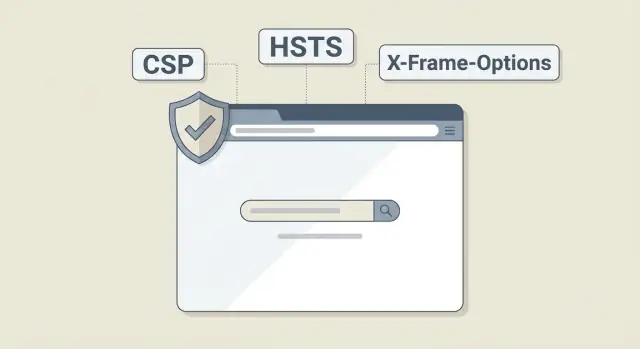
Most conversations about security headers boil down to three controls that map to three risks:
- Control what the browser is allowed to run (CSP)
- Control how the browser connects (HSTS)
- Control where your pages are allowed to appear (X-Frame-Options or CSP frame-ancestors)
1) CSP (Content-Security-Policy)
CSP tells the browser which scripts, styles, images, and connections are allowed. Its main job is limiting the damage from XSS by blocking unexpected code from running.
It’s also the header most likely to break things at first, especially analytics tags, inline scripts, and third-party widgets.
2) HSTS (Strict-Transport-Security)
HSTS tells the browser to always use HTTPS for your site for a period of time. It protects users from SSL stripping and accidental HTTP access by forcing encrypted connections.
Enable it only when your app is fully on HTTPS. Once a browser has cached HSTS for your domain, you can’t quickly undo it for that user.
3) Framing protection (X-Frame-Options and frame-ancestors)
Framing headers control whether other sites can embed your pages in an iframe. They defend against clickjacking by stopping a malicious page from placing your UI under a fake overlay.
You’ll see two options:
- X-Frame-Options: older and simple (DENY or SAMEORIGIN)
- frame-ancestors (inside CSP): newer, more flexible, usually preferred when you already use CSP
If your app should never be embedded, defaulting to “no framing” is usually right. If you intentionally embed it (for example, inside a partner portal), treat it as a careful allowlist decision.
CSP basics without the jargon
CSP is the header that tells the browser what your page is allowed to load and run. It’s also the one most likely to cause sudden breakage, because it can block JavaScript that used to run freely.
Think of CSP as a bouncer. Scripts, styles, images, fonts, and frames only get in if they match the rules. If your app depends on an inline snippet, an analytics tag, or a widget from a third party, CSP will stop it until you allow it explicitly.
Two directives come up constantly:
default-srcis the fallback rule. If you set it tightly, anything not covered by a more specific rule gets blocked.script-srccontrols where scripts can load from and what kind of execution is allowed. This is where breakage usually shows up first.
Most surprises come from the same patterns:
- Inline scripts (code inside your HTML) are blocked unless you use a nonce/hash or allow
'unsafe-inline'(not a good long-term plan). eval()and similar dynamic code paths are blocked unless you allow'unsafe-eval'(common with older libraries and some tooling).- Third-party tags (chat, analytics, A/B testing) load from domains you didn’t allow, or they inject inline code.
A safer first step is Content-Security-Policy-Report-Only. The browser reports violations but doesn’t block them, so you can see what would break before users do.
A quick example: if a Lovable or Replit prototype “works” because it relies on inline scripts, Report-Only will expose that immediately. Teams often bring these findings to FixMyMess so risky patterns can be replaced with nonce-based scripts and hidden eval() usage can be removed without changing how the app feels.
CSP settings you can start with (then tighten)
CSP is one of the most useful headers, and one of the easiest ways to break a working UI if you go too strict on day one. Start with a policy that blocks the worst stuff, then tighten it as you learn what your app actually loads.
Here’s a reasonable “starter” CSP that often works for typical apps (especially SPAs) while still adding protection:
Content-Security-Policy: default-src 'self'; base-uri 'self'; object-src 'none'; frame-ancestors 'none'; img-src 'self' data: https:; font-src 'self' https: data:; script-src 'self' 'unsafe-inline' 'unsafe-eval' https:; style-src 'self' 'unsafe-inline' https:; connect-src 'self' https:; upgrade-insecure-requests
This still allows risky behavior ('unsafe-inline' and 'unsafe-eval') so your app is less likely to fall over. The goal is to remove those safely, one change at a time.
Tighten it gradually
Make one edit, deploy, then watch errors in the browser console.
- Lock scripts first: replace
'unsafe-inline'with nonces, and remove'unsafe-eval'when you can. - Narrow
connect-src: keep only the APIs and third-party endpoints you actually use. - Limit
img-srcandfont-src: keephttps:if you use CDNs; removedata:if you don’t need it. - If you must embed something (payments, docs), set framing rules intentionally rather than loosening everything.
Nonces vs hashes (a simple rule)
Use nonces when your HTML templates generate inline scripts/styles at runtime (common in server-rendered apps). Use hashes when the inline snippet is stable and rarely changes.
For analytics, payment flows, and support widgets, expect to add specific domains to script-src and connect-src. If an AI-generated prototype has messy inline scripts, you may need a short cleanup pass first (a common FixMyMess job) before CSP can be tightened without surprises.
HSTS: protect HTTPS without accidentally locking yourself out
HSTS tells browsers “always use HTTPS for this site.” After a browser sees the header once, it rewrites future visits to HTTPS even if someone types http:// or clicks an old link. That’s great for stopping downgrade attacks, but it can also lock users into HTTPS if your setup isn’t stable.
Once a browser has remembered HSTS for your domain, you can’t quickly undo it for that user. If HTTPS breaks tomorrow (expired certificate, bad redirect, misconfigured load balancer), those users may be unable to reach the site until it’s fixed.
Hold off on HSTS if any of these are still true:
- You have mixed content (HTTP images, scripts, or API calls) you haven’t cleaned up.
- Redirects are inconsistent across pages.
- Staging shares the same domain or subdomains users might visit in a real browser.
- You’re still testing certificates, CDN settings, or custom domains.
A safe starting point is a small max-age (1 hour to 1 day). After a few clean deploys, increase it to a week, then a month, then 6-12 months once you’re confident.
Be careful with two flags:
includeSubDomainsmeans every subdomain must support HTTPS (admin, API, old landing pages, forgotten hobby subdomains).preloadis an even bigger commitment. It fits mature domains with permanent HTTPS, not prototypes.
If you’re inheriting an AI-built app, verify redirects and mixed content first. Teams often ask FixMyMess to audit this because one wrong header on a shaky prototype can turn a small bug into an outage.
Framing protection: X-Frame-Options and frame-ancestors
Clickjacking happens when your app is loaded inside a hidden or misleading frame on someone else’s site. The user thinks they’re clicking a harmless button, but they’re actually clicking your “Delete account” or “Transfer” button underneath.
To stop this, you’ll use X-Frame-Options and/or CSP frame-ancestors. X-Frame-Options is older and limited. It can say “deny” (never frame me) or “sameorigin” (only frame me from the same site). frame-ancestors is the modern choice because it supports precise allowlists.
A safe default for most apps is: don’t allow framing. If you do have a real reason to embed, keep the allowance narrow.
Practical patterns:
- No embeds:
frame-ancestors 'none' - Only your site:
frame-ancestors 'self' - Your site plus one trusted host:
frame-ancestors 'self' https://partner.example - Keep X-Frame-Options as a backup:
DENYorSAMEORIGIN
Quick test: try loading a sensitive page inside an iframe in a simple HTML file. If it still renders, framing protection isn’t working. This is common in AI-generated prototypes because templates often miss these headers or apply them inconsistently across routes.
Step by step: roll out headers with minimal risk
The safest way to add security headers is to start with a baseline that changes little, prove nothing breaks, then tighten one rule at a time. Treat it like a product change, not a quick config tweak.
1) Add a baseline, then tighten
A practical order:
- Set framing protection first (least likely to break scripts).
- Add HSTS carefully (only after HTTPS is solid everywhere).
- Add a basic CSP that allows current scripts, then remove unsafe allowances gradually.
- Re-test critical flows (login, checkout, uploads, embeds) after each change.
- Record any exceptions with a reason and an owner.
2) Choose one place to set headers
You can set headers in your app server (Express, Rails, Django), at a reverse proxy (Nginx), or in your hosting/platform settings. Pick one source of truth. If headers are defined in multiple places, you’ll eventually ship conflicting values and waste hours debugging what the browser is actually receiving.
3) Roll out like a feature
Apply changes in staging first, then release to a small slice of traffic (or a limited environment) before full rollout. Keep a quick rollback option (one config change, not a redeploy) so you can recover fast if a third-party script or an OAuth redirect fails.
4) Document exceptions so they don’t spread
When you must allow something (a script host, an inline snippet, an iframe), write down what it enables, why it’s needed, and what would replace it later. Otherwise, “temporary” exceptions become permanent.
If you inherited an AI-generated prototype, these headers often surface hidden problems quickly. FixMyMess can run a quick audit and help you add headers safely without breaking production behavior.
How to test quickly (and understand what broke)
Fast testing beats guessing. First confirm the browser is receiving the headers. Then look at what the browser blocked.
Check in DevTools first
Open your site, then DevTools:
- Network: click the main document request, then check Response Headers for CSP, HSTS, and framing.
- Console: CSP violations appear with messages like “Refused to load...” plus the blocked URL and the directive (for example,
script-src). - Security panel (in most browsers): confirm HTTPS and view certificate details.
- Application panel: check whether HSTS is taking effect.
When something breaks after adding CSP, the console message is your map. Match the blocked item to the directive:
- Blocked script or inline code ->
script-src - Blocked API call ->
connect-src - Blocked image/font ->
img-srcorfont-src
Example: if login stops working and the console says a request to https://api.yourapp.com was blocked by connect-src, fix it by allowing that host in connect-src (not by loosening everything).
Quick command line checks
These checks confirm redirects, HTTPS, and that headers are actually sent by your server (not just configured somewhere you’re bypassing).
curl -I http://yourdomain.com
curl -I https://yourdomain.com
curl -I -L https://yourdomain.com
Look for:
Strict-Transport-Securityonly on HTTPS responses- the final response after redirects (with
-L) still includes your headers
To confirm framing blocks without special tools, create a tiny HTML file that iframes your site and open it locally. If it stays blank or errors, your framing policy is working.
If you need help interpreting violation logs or fixing a prototype that broke after tightening headers, FixMyMess can audit the code and apply safe fixes quickly.
Common mistakes that cause outages or false confidence
Most problems with security headers aren’t “security problems.” They’re rollout problems. A small change can block scripts, break logins, or hide real issues behind a quick workaround.
CSP mistakes that break real features
The fastest way to take down a front end is to enable a strict CSP before you know what the page actually loads. Inline scripts, inline event handlers (like onclick), third-party widgets, and injected analytics tags often exist even in “simple” apps.
Common traps:
- Enforcing strict CSP before inventorying inline scripts and third-party sources
- Using
'unsafe-inline'and wide wildcards to “make it work,” then never tightening later - Blocking
connect-srcby accident, so API calls fail and it looks like the backend is down
A safer pattern is: start with reporting, fix the biggest offenders, then move to enforcing. If you’re fixing a prototype, it’s often faster to replace inline scripts with real JS files than to keep adding exceptions.
HSTS and framing pitfalls
HSTS is great until it’s set on a domain that still serves HTTP somewhere (old subdomains, a forgotten admin panel, a staging host). Once browsers cache HSTS, “just switch it back” won’t help quickly for users.
Framing protection can also cause confusion. X-Frame-Options helps, but modern control is usually frame-ancestors in CSP. If you embed your app inside another site (payments, partner portals, internal tools), a strict setting can break that flow.
One more outage driver: mixing up CORS with CSP. CORS errors are about blocking cross-site reads. CSP errors are about blocking what the page is allowed to load or run. Chasing the wrong one wastes hours.
If you inherited AI-generated code, these issues stack up fast. FixMyMess often sees teams “fix” symptoms by disabling protections instead of removing inline scripts, cleaning up sources, and moving secrets out of the client. That can produce a green checkbox, but not meaningful hardening.
Quick checklist before you ship
Before you enable these headers in production, do a fast pass to catch the “it worked on one page” trap. Headers only help if they’re consistent, and they shouldn’t surprise users with broken logins, stuck redirects, or blank pages.
- Spot-check multiple response types: normal pages, API responses, redirects (301/302), and error pages (404/500). Confirm the headers show up on all of them.
- Load your app and confirm there are no mixed content warnings (HTTP images, scripts, or fonts on an HTTPS page).
- Start CSP in Report-Only, fix the noisy items, then enforce.
- Block framing by default, and only allow it when you have a clear reason.
- Enable HSTS only after HTTPS is stable everywhere, including subdomains you control and common entry points like marketing pages and callbacks.
Two quick tests:
# Check headers on a normal page
curl -I https://yourdomain.com/

# Check headers on a redirect target too
curl -I -L https://yourdomain.com/login
In the browser, open DevTools Console and refresh. If CSP is too strict, you’ll usually see clear messages about what was blocked.
A common real-world gotcha: the home page has CSP, but the login redirect or 404 handler is served by a different layer (CDN, framework default), so headers silently disappear.
If you inherited an AI-generated prototype, these inconsistencies are especially common. A quick audit of a few key routes can prevent a “secure” release that’s only secure on the happy path.
Example: tightening headers on a prototype without breaking it
You inherit an AI-generated prototype (say from Bolt or Replit). It works in the demo, but it relies on inline scripts in the HTML, a third-party chat widget pasted into the page, and a couple of tracking scripts added late at night.
If you enforce a strict CSP right away, the app can look “fine” until you try real flows. Typical breakages: the login redirect fails because an inline script never runs, the chat widget stays blank because its script and frames are blocked, and analytics stops sending events right when you need it.
A rollout plan that avoids most surprises:
- Start with
Content-Security-Policy-Report-Onlyso nothing is blocked yet. - Use the console and CSP reports to list what the app actually loads.
- Replace inline scripts with external files where you can, or add nonces for the ones you must keep.
- Add the chat widget and analytics domains explicitly (only what you use).
- Enforce CSP only after the main user journeys (login, checkout, settings) are clean.
After that, your header set can stay simple at a high level:
- CSP: default block, then allow your own scripts plus a short allowlist for needed vendors; use nonces for any remaining inline code.
- HSTS: enable with a reasonable
max-ageafter HTTPS is stable everywhere. - Framing: block embedding (or allow only your own origin) using
frame-ancestors.
Next steps: keep it secure as the app changes
Secure headers aren’t “set once.” Every new route, analytics tag, chat widget, payment script, or CDN change can shift what the browser needs to allow.
Keep a short “header policy” note next to your deployment notes: what your CSP should allow (scripts, styles, frames), whether HSTS is enabled, and whether your app should ever be framed (usually no). It sounds simple, but it prevents panic edits when something breaks.
Review your headers whenever you add third-party scripts, and consider a quick monthly check. Most breakage comes from “just one snippet.”
If your app was generated by tools like Lovable, Bolt, v0, Cursor, or Replit, expect hidden inline scripts and unsafe patterns. Those often pressure teams into risky CSP settings like allowing inline scripts. Treat that pressure as a code smell: fix the code so you can tighten the policy.
If you want a second set of eyes, FixMyMess (fixmymess.ai) offers a free code audit for AI-generated apps. It’s a quick way to surface the header issues that will break production, then fix the underlying code (auth, secrets, messy scripts) so security settings can be enforced safely.
FAQ
Which security header should I add first if I don’t want to break my app?
Start with CSP in Report-Only, then add framing protection, and add HSTS last. CSP is the one most likely to break scripts and auth flows, so you want visibility before you enforce anything.
Why did my login or checkout stop working right after I enabled CSP?
A strict CSP often blocks inline scripts, third-party tags, or auth/payment widgets that load from domains you didn’t allow. The fix is usually to read the console violation, then allow the specific host in the right directive (often script-src or connect-src) instead of loosening everything.
What’s the safest way to roll out a new CSP?
Use Content-Security-Policy-Report-Only first. It shows you what would be blocked without actually blocking it, so you can collect violations and update your policy safely before enforcing.
Should I use nonces or hashes for CSP, and when?
Avoid 'unsafe-inline' as a long-term setting. Prefer nonces for inline scripts that are generated at request time, or hashes for small, stable inline snippets, so you can keep CSP strict without breaking the UI.
How do I enable HSTS without locking users out if something goes wrong?
Start with a small max-age (like an hour or a day) and increase it after multiple clean deploys. Only enable HSTS once HTTPS redirects, certificates, and mixed content are all stable, because browsers can cache HSTS and you can’t quickly undo it for users.
What’s risky about using HSTS with includeSubDomains or preload?
includeSubDomains forces HTTPS on every subdomain, including forgotten ones like old admin panels or legacy marketing hosts. preload is an even bigger commitment; it’s best reserved for mature domains where HTTPS will never be removed.
Should I block iframes with X-Frame-Options or CSP frame-ancestors?
Default to blocking framing unless you have a clear embed use case. Use frame-ancestors in CSP for modern control, and optionally keep X-Frame-Options: DENY or SAMEORIGIN as a backup for older clients.
How can I quickly confirm my headers are actually being sent and enforced?
Open DevTools and check the Network tab for response headers, then read the Console for CSP errors like “Refused to load…” that name the blocked URL and directive. Also run curl -I (and curl -I -L) to confirm the final response after redirects still includes your headers.
How do I tell the difference between a CSP problem and a CORS problem?
CSP controls what the page is allowed to load and run (scripts, connections, frames). CORS controls whether a browser allows one site to read responses from another site; mixing them up leads to the wrong fix and a lot of wasted time.
Why do AI-generated prototypes break more often when I add security headers, and what should I do?
AI-generated apps often rely on inline scripts, hidden eval() paths, and copy-pasted third-party snippets that work in preview but fail under real domains and strict headers. If you need help tightening headers without breaking production, FixMyMess can run a free code audit and fix the underlying code so CSP, HSTS, and framing rules can be enforced safely.