Securely share credentials for a fast fix without risk
Securely share credentials during a fast fix with vault-based storage, time-boxed access, and a clear rotation plan that prevents long-term risk.
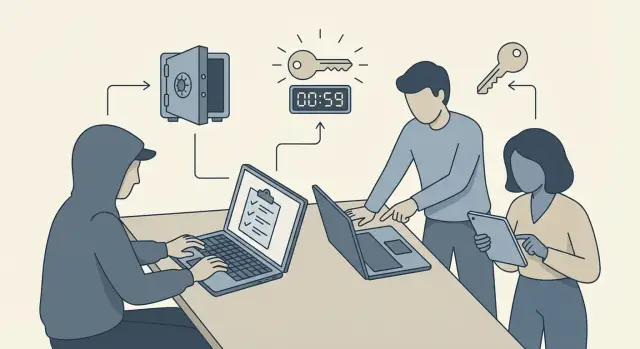
Why credential sharing gets risky during urgent fixes
Urgent fixes often require real access. A bug might only show up with production data. An auth flow can fail only behind your live domain. A payment webhook may break only when it hits a real provider account. When the clock is ticking, teams grab whatever gets the developer unblocked.
That’s usually where problems begin. Under pressure, people paste passwords into chat, drop API keys into a shared doc, or forward screenshots from a cloud console. Those shortcuts feel harmless because they’re fast, but they create extra copies you can’t track or reliably delete later.
The biggest risk isn’t just someone being careless today. It’s the leftovers tomorrow: credentials sitting in message history, ticket comments, build logs, browser autofill, screen recordings, or a contractor’s laptop. Weeks later, nobody remembers who has access, what was shared, or whether it was ever shut off.
A few things that commonly go wrong after a rushed handoff:
- A key leaks and you get surprise bills from abused APIs or cloud resources.
- An old admin login is reused and becomes an easy entry point.
- A “temporary” token ends up hardcoded in the codebase and shipped again.
- A vendor account gets locked due to suspicious activity and everything stops.
The goal is simple: fix fast while you securely share credentials. That means treating access as a controlled, time-bound tool, not a favor.
This matters even more with AI-generated prototypes (Lovable, Bolt, v0, Cursor, Replit, and similar tools). Secrets are often copied into repos, logs, or configs without anyone noticing. Teams that recover quickest are the ones that make access temporary, logged, and easy to rotate the moment the fix is done.
What counts as a credential (and what people forget)
When people hear “credentials,” they think “username and password.” During a fast fix, the bigger risk is everything else that quietly grants access. If it can log in, read data, deploy code, or send money, treat it like a secret even if it looks harmless.
Common types teams forget in a rush include:
- API keys and service keys (payments, email, analytics, maps)
- Tokens and sessions (OAuth tokens, refresh tokens, JWT signing secrets)
- SSH keys and deploy keys (servers, Git access, CI/CD)
- Database URLs and connection strings (often include user, password, host, database name)
- Webhook secrets and signing keys (prove requests are real)
Secrets also hide in places that feel “temporary,” like environment variables, build logs, error reports, copied config files, and even screenshots. A single pasted .env can contain everything needed to take over an app.
Screenshots and copy-paste count as sharing. If a key appears on a screen, it can end up in chat history, email threads, ticket comments, meeting recordings, or screen shares. Even a quick “just send me the value” creates a trail that’s hard to clean up later.
Example: a founder sends a screenshot of a Replit environment panel to unblock a 2-hour bug fix. That one image can expose the database URL, an admin token, and a payment API key all at once. Treat the screenshot like you’d treat the keys themselves, because it is the keys.
Set the ground rules before anyone asks for access
Urgent fixes go sideways when access decisions happen in a hurry, across five different tools, with no clear owner. Before you share anything, pick one person to approve access during the fix. That might be the founder, the CTO, or a project lead, but it needs to be a single owner who can say yes or no quickly.
This is also the moment to define what “enough access” means. Most fast fixes don’t require admin keys or full database write access. You should be able to explain why each permission is needed in one sentence.
A simple set of rules that keeps speed safe
Write these down once and reuse them every time you bring someone in:
- One access owner: only one person grants, changes, and removes access.
- Smallest scope: one service at a time (for example, just the auth provider or just the staging database).
- Smallest permission: read vs write, deploy vs view logs, rotate keys vs use keys.
- One home for secrets: a vault or secret manager, not chat, not email, not a doc.
- A clear end time: set the removal time before access is granted.
After that, agree on where work will happen: production, staging, or a copy of data. If you can reproduce and fix the issue in staging first, do it. It reduces pressure and keeps mistakes from turning into incidents.
A practical example: a non-technical founder hands a broken AI-built prototype to a remediation team for a 48-72 hour repair. The safest start is boring but effective: name an access owner, confirm whether the team needs read-only logs or deploy rights, and set an expiration time for every token. That small setup step prevents “temporary” access from quietly turning into permanent risk.
Use a vault, not messages or documents
When you need a fast fix, the easiest path is to paste a secret into chat or drop it in a shared doc. That’s also the easiest way to lose control of it. A secrets vault is a safer default because it limits where secrets live and who can see them.
A vault can be as simple as 1Password or Bitwarden for small teams, or something like AWS Secrets Manager if your app already runs in AWS. The point isn’t the brand. It’s having one trusted place to store secrets instead of copies scattered across Slack, email, Notion, screenshots, and local notes.
What “vault-first” looks like
Set sharing up so access is tied to roles, not to whoever asks at 11 p.m. Create shared items (for example, “Staging DB password” or “Stripe test key”) and grant access only to the people working on that specific part of the fix.
A simple setup that works for most startups:
- Put every secret in the vault and remove it from docs, tickets, and chat.
- Share vault items with a role or group (like “Fix team”) instead of 1:1.
- Turn on activity logs or access history so you can see who opened what.
- Add short notes on each item: what it’s for, where it’s used, and who owns it.
This also creates a clean record of who had access and when, which matters later if something breaks or a key is abused.
Temporary access that expires automatically
When a fix is urgent, avoid sharing long-lived credentials at all. Give access that ends on its own. This is one of the simplest ways to securely share credentials without leaving a lingering backdoor.
Short-lived access can look like time-limited tokens, temporary session access through your identity provider, or just-in-time role elevation. The key is that the access has an expiry you can point to, and it doesn’t rely on someone remembering cleanup later.
Use “break-glass” access for the smallest window
Break-glass access is the emergency key you only use when normal access paths fail. Treat it like opening a fire alarm box: logged, rare, and time-boxed.
If a developer needs admin rights to unblock a deployment, give it for 30-60 minutes, not “until tomorrow.” If the work takes longer, renew it on purpose.
A practical pattern is to create a dedicated temporary account (or role) limited to the fix. Name it clearly (for example, "temp-fix-2026-01-20") so it’s easy to find and remove. Avoid personal accounts for shared work. Shared ownership makes cleanup harder.
Before granting access, decide how revocation will happen the moment the fix is done:
- Set an explicit expiry time (calendar reminder plus automatic timeout).
- Restrict permissions to only the systems touched by the fix.
- Require MFA for the temporary account.
- Log the session (who, when, what changed).
- Assign one person to revoke access immediately after the fix.
Minimum permissions: make access smaller than you think
When you need a fast fix, it’s tempting to hand over whatever login “just works.” That’s how small emergencies turn into big breaches. A safer approach is to create new access that’s limited to the exact job, then delete it.
Start by avoiding founder or admin accounts. Create fresh keys or a separate user for the person doing the fix, even if it feels like extra work. If that access leaks later (through logs, screenshots, old chat history), it won’t expose everything your main account can do.
Limit access in three ways: scope, environment, and actions. Time is the fourth lever when your tools support it.
- Scope: grant access to one database, one project, or one service.
- Environment: keep staging and production separate, with separate credentials.
- Actions: use read-only where possible, and add write privileges only when the fix truly needs them.
- Time: set an expiry so access shuts off automatically.
Example: a contractor needs to diagnose broken authentication on an AI-built prototype. Give them a new database user that can only read the auth tables in staging. If they later need to run a migration, you can temporarily add write access for a short window, then remove it.
If you’re unsure what “minimum” is, ask one question: what’s the least this person needs to do in the next 2 hours? Grant only that, and expand only if you hit a real blocker.
Step-by-step: a safe credential handoff for a 48-hour fix
When a fix has to happen in 48 hours, the goal is to move fast and still securely share credentials. The trick is to treat access like a timed tool, not something you grant forever.
The 5-step handoff
-
Define the real requirement. “Access to AWS” isn’t a requirement. “Restart a service,” “read logs,” or “update an env var” is. Write down the systems involved (hosting, database, email, auth, payments) and the exact actions needed.
-
Create temporary credentials. Prefer short-lived tokens, time-boxed roles, or a limited user you can delete later. If a system can’t do temporary tokens, create a new password you plan to rotate the same day.
-
Store secrets in the vault. Put the values in your vault and share access to the vault item, not the secret itself. Avoid pasting values into chat, email, or docs. If possible, require a second factor for vault access.
-
Complete the fix and verify. Ask for a quick proof: what changed, where it was applied, and how you can verify it (a test login, a successful payment in a sandbox, a clean deploy, or a specific log line that confirms the behavior changed).
-
Revoke and rotate immediately. Remove the user or role, expire tokens, and rotate any secrets that were viewed or touched. Don’t wait for “later this week.”
A simple way to keep it moving
If you bring in outside help to repair an AI-built codebase quickly, this approach lets you grant what’s needed (like logs, a deploy role, or access to one provider) without leaving permanent doors open after the job is done.
Common mistakes that create long-term risk
Urgent fixes make people act on instinct. The problem is that the “quickest” move today often becomes the backdoor you forget about next week.
One of the most common failures is letting secrets leak into places that live forever. A password pasted into chat, a token dropped into an email thread, a key included in a support ticket, or a secret spoken during a recorded screen share can all be copied, forwarded, indexed, or saved. Even if you delete the message, it may still exist in exports and backups.
Another risky move is handing over the “master” account to keep things moving. Cloud root users, owner accounts, or the single admin login for your database feel convenient because nothing is blocked. But it also means someone can change billing, disable logging, or access unrelated customer data by accident.
Mistakes that turn “temporary” access into lasting exposure:
- Creating a temporary user or token and forgetting to disable it after the fix.
- Skipping rotation because everything works and you don’t want to break it.
- Reusing one key across staging and production (or across multiple apps).
- Storing secrets inside code,
.envfiles in shared folders, or copied config snippets. - Disabling security checks (like MFA) “for one hour” and never turning them back on.
A small example: a founder shares a production database URL in a chat so a developer can debug a broken login. Two months later, that chat is reused for another project, and the old URL is still there, now accessible to people who were never part of the fix.
This is common after fast repairs on AI-built prototypes: the app runs again, but cleanup (disable access, rotate keys, remove secrets from logs and tickets) never happens. That’s where long-term risk starts.
Rotation plan after the fix (do not skip this)
Fast access is only half the job. The other half is making sure the shortcuts you used during the fix don’t become permanent openings. Plan the rotation before you start, while you still have focus.
Start by writing down exactly which secrets were used, where they were added, and what they touch. Be specific: the service name, the environment (dev, staging, prod), and the place it was stored (vault entry name, CI settings, hosting provider config). This prevents the classic failure where a key is rotated, but one forgotten worker or background job still uses the old one.
Rotate anything that could have been copied, logged, or saved locally during the rush. That usually includes database passwords, third-party API tokens (payments, email, analytics), cloud access keys, and auth provider secrets (OAuth client secrets, JWT signing keys). If a contractor or outside team had access, treat rotation as mandatory.
A rotation flow that still works when you’re tired after a 48-hour fix:
- Inventory: list every secret touched and every place it was used.
- Rotate: generate new values in the provider (DB, cloud, API service).
- Update: set new environment variables and redeploy in a controlled order.
- Verify: confirm old keys fail and new keys work (test the real app paths).
- Record: note what changed and who still needs access going forward.
After redeploy, test like a user, not like a developer: sign in, create data, run the key background actions, and check logs for auth or permission errors.
Example scenario: fast fix on a broken AI-built prototype
A small startup shipped an AI-generated web app that looked fine in demos, but production logins kept failing. Users were stuck in a loop after sign-in, and the app sometimes created new accounts on every refresh. They needed a hotfix within 48 hours.
The problem was simple and messy at the same time: secrets were scattered. One database password lived in a teammate’s notes, an auth provider key was pasted into a chat thread, and the deployment platform had old environment variables that no one trusted. The fastest path felt like “send me everything,” but that’s how you accidentally leak a database key or leave a contractor with permanent access.
They used a secrets vault as the single place to store and share the needed values. Instead of sending raw credentials, they created temporary access for the person doing the fix, with permissions limited to what the auth bug touched: read access to current env vars, plus a separate, short-lived token for updating a single service.
The handoff looked like this:
- Move all known secrets into the vault and label them by environment (prod vs staging).
- Grant time-limited access that expires the same day.
- Share only the minimum set (auth keys and the one database user needed for login flows).
- Log every access and change so nothing turns into “mystery work” later.
The next morning, they did the part people skip: rotation. They generated new auth keys, replaced the database password, and revoked the temporary token. Then they set one rule for the next urgent fix: if someone asks for a secret, the answer is “we’ll add it to the vault and grant temporary access.” That habit made it much easier to securely share credentials without slowing down the next release.
Quick checklist and next steps
When you need to securely share credentials during a fast fix, the goal is straightforward: help the person doing the work without leaving behind permanent entry points into your systems.
Use this checklist before you call the job “done”:
- No secrets are sitting in chat apps, tickets, commits, screenshots, or shared docs (delete or redact anything that slipped through).
- Every temporary account, invite, token, or shared vault item has been removed or disabled.
- All rotated keys are updated everywhere they’re used (app config, CI/CD, hosting, background jobs, mobile builds).
- Access logs are checked for anything unexpected during the fix window.
- A calendar reminder is set for “access expires” and “rotate again if needed” (24 hours, 7 days, and 30 days are common checkpoints).
After you run the checklist, take two minutes to reduce future risk.
Two small moves that prevent big problems
First, write down what was granted and why. One paragraph is enough: which system, which access level, who had it, and when it was removed.
Second, confirm ownership. Pick one person (usually the founder or tech lead) responsible for the vault, the rotation schedule, and approving any future emergency access. If everyone “can” approve access, nobody really does.
Next steps
If your app was generated by an AI tool and the codebase is messy, credential handling tends to get messy too. That’s when you see exposed secrets, broken auth, and “temporary” fixes that quietly become permanent.
If you want a second set of eyes on an AI-generated codebase, FixMyMess (fixmymess.ai) focuses on diagnosing and repairing issues like exposed secrets and broken authentication, then helping teams rotate and harden what was touched during the fix. A quick audit can also give you a clear list of what to rotate and where credentials are leaking, before the next emergency hits.
FAQ
Is it ever okay to send a password or API key in Slack or email during an urgent fix?
Assume anything shared in chat or email will be copied, cached, and hard to fully delete later. A safer default is to share access through a vault or identity system where you can revoke access and see who accessed what.
What actually counts as a “credential” besides a username and password?
Treat anything that can log in, deploy, read private data, or move money as a credential. That includes API keys, OAuth refresh tokens, JWT signing secrets, database connection strings, SSH keys, webhook signing secrets, and even a screenshot that shows them.
What should we decide before we give anyone access during a fast fix?
Pick one person to approve and revoke access, then define the minimum action needed, like “read logs” or “update one env var.” Decide the end time before granting access so cleanup isn’t optional later.
What’s the fastest safe way to share secrets without creating a mess?
Use a dedicated secrets vault or secret manager as the single home for secrets, then grant access to the vault item instead of pasting values into messages. This reduces secret sprawl and makes rotation and offboarding much simpler.
How do we give temporary access that expires without relying on someone to remember cleanup?
Create time-limited access that expires automatically, such as a temporary role, short-lived token, or a temporary account with MFA. If you must use long-lived credentials, plan to rotate them the same day and treat them as compromised once viewed.
How do we keep “minimum permissions” practical when we’re in a rush?
Create a fresh user or role for the fix and scope it to one service and one environment, ideally with read-only access first. Avoid sharing owner or root accounts because they make it easy to change unrelated systems and they’re hard to audit afterward.
Why are screenshots of console settings or .env files so risky?
Screenshots often capture multiple secrets at once, and they get saved to chat history, email threads, and meeting recordings. If a screenshot is unavoidable, rotate any exposed secrets immediately after, and remove the image wherever it was posted.
What should we do immediately after the fix is shipped?
Write down what was touched, revoke temporary users and tokens, and rotate any secrets that were shared or viewed. Then verify the app still works and confirm the old credentials no longer work, so you know the rotation actually finished.
Should we debug in production or staging during a 48-hour fix?
Keep staging and production credentials separate and start with staging whenever possible to reduce risk. If you must use production to reproduce the issue, limit access and time window even more, and log exactly what changed.
Why do AI-generated prototypes tend to have worse credential hygiene, and what can we do about it fast?
AI-generated prototypes often end up with secrets hardcoded, copied into repos, or scattered across configs and logs without anyone noticing. A remediation team like FixMyMess can audit where secrets are leaking, repair broken auth and deployments, and help you rotate and harden everything touched during the fix.