Stable sorting under pagination: stop list items shuffling
Learn how stable sorting under pagination keeps list results consistent by adding tie-breakers, choosing safe sort keys, and using quick checks to prevent shuffles.
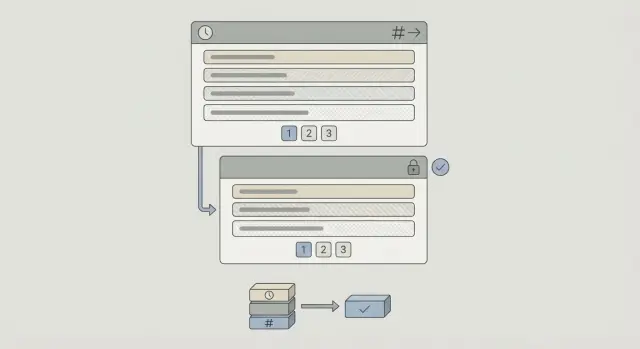
What “shuffling list pages” looks like in real apps
You open a list, go to page 2, and spot an item you swear was on page 1 a second ago. You refresh and the order changes again. Sometimes an item shows up on both pages. Sometimes it disappears until you tweak a filter.
That’s “shuffling list pages”. The app is paginating, but the sort order isn’t fully pinned down, so the database (or API) returns records in a slightly different order from one request to the next.
It sounds minor, but it breaks trust quickly. Users assume data is missing, notifications aren’t reliable, or someone changed the records. In admin and reporting screens, it can cause real mistakes: reviewing the same row twice and skipping another.
You’ll notice it most in admin tables, activity feeds, search results, audit logs, and product catalogs.
“Stable” doesn’t mean the list never changes. It means stable sorting under pagination: if the inputs are the same (same filters, same sort option, same data snapshot), you get the same order every time.
A stable list has three traits:
- Ties are broken the same way every time (no “random” order for records that share the same sort value).
- Page boundaries are predictable (an item is either on page 1 or page 2, not both).
- Refreshing doesn’t reshuffle items unless the underlying data changed.
A common trigger is sorting by a field that often has duplicates, like created_at, status, or score. If ten items share the same timestamp or score, the database can return those ten in any order unless you tell it how to break the tie.
Why pagination breaks when sorting is not deterministic
Pagination depends on one simple assumption: run the same query twice, and you get the same order.
When the order isn’t guaranteed, your “page 2” isn’t really page 2 anymore. Users see repeats, missing items, or rows that seem to jump around.
The usual cause is ties. Your query sorts by something like created_at, score, or name, and multiple rows share the same value. When that happens, the database is allowed to return tied rows in any order unless you add a clear rule to break the tie. That “any order” can change between requests.
Offset pagination makes this extra visible because offsets count positions, not specific rows. If positions change, offsets point to a different slice of the list.
Even if your data doesn’t change, ties can still flip order for reasons you don’t control: a different index gets used, the query plan changes after statistics update, or parallel execution returns batches in a different sequence. That’s normal behavior when you don’t ask for a deterministic order.
Pick a stable ordering rule (primary key plus tie-breaker)
To stop shuffling, you need an ordering rule that never leaves ties unresolved.
Choose the sort users expect
Start with the field that matches how people think.
- Activity feed: newest first.
- Leaderboard: highest score first.
- Directory: name A to Z.
Then assume ties will happen. Many events share the same timestamp, many users share the same last name, and many items share the same rounded score.
Add a tie-breaker that never changes
Add a second sort key that is unique and stable. Most apps already have one: a primary key like id. The tie-breaker should never change over time and should exist on every row.
Be explicit about direction for each key. If your main sort is DESC (newest first), using DESC for the tie-breaker usually keeps the behavior intuitive.
A simple rule you can reuse across endpoints:
- Order by the user-facing field first.
- Order by
idsecond to break ties. - Set direction for both fields.
- Use the exact same rule anywhere that serves this list.
Write it down in one sentence, for example: “Show newest items first; if times are equal, show higher id first.” This prevents drift where one endpoint uses one order and another endpoint uses a slightly different one.
Step by step: add tie-breakers to your queries
The quickest fix is almost always the same: keep your main sort, then add a unique tie-breaker.
Start with the exact query your API runs. Find the current ORDER BY and ask: can two rows have the same values for these sort fields? If yes, you have a tie, and the database can return tied rows in different orders.
A common pattern for “newest first” looks like this:
SELECT id, created_at, title
FROM posts
WHERE status = 'published'
ORDER BY created_at DESC, id DESC
LIMIT 20 OFFSET 40;
If you sort by a non-unique field like created_at, price, or score, always include id (or another unique column) as the final sort.
One more practical detail: check your index. For the example above, a composite index like (status, created_at, id) (direction depends on your database) often prevents slow sorts and keeps performance predictable.
Offset vs cursor pagination: what changes for stable sorting
Offset pagination is the classic “page=3” approach: sort, skip the first N rows, then take the next chunk. It’s easy to implement, but it assumes the order stays stable.
Cursor pagination is the “after=item_123” approach: instead of skipping rows, you fetch items after the last item you already have. It often performs better and avoids some ugly edge cases, but only if your sort order is stable and unique.
Cursor pagination makes the requirement explicit: the cursor must describe a precise position in a deterministic order. That usually means using a composite sort and a composite cursor.
For example: sort by created_at DESC, id DESC, and make your cursor carry both values. If you only store created_at in the cursor, the boundary is ambiguous whenever multiple rows share the same timestamp.
Practical rules:
- Always include a unique tie-breaker in
ORDER BY. - Make the cursor match the full
ORDER BY(same fields, same directions). - If users change filters or sort options, treat it as a new query and start with a fresh cursor.
New data and updates: keeping results consistent over time
Even with a perfect ORDER BY, pages can still feel unstable if the underlying data changes between requests. The sort is deterministic, but the dataset is moving.
New items are the classic problem with offset pagination. If you fetch page 1 (items 1-20), then a new item arrives at the top, your next request for page 2 (offset 20) starts from what used to be item 21, but everything has shifted. Users see duplicates or miss items.
Edits can be worse. If your sort field changes (for example, updated_at), an existing row can jump between pages.
The fix starts with a product decision: should this list be “live,” or should it be consistent during a session?
If you want consistency, anchor results to a snapshot point. Common approaches:
- Anchor to a fixed timestamp (only show items with
created_at <=the first page load time). - Anchor to a cursor boundary (only show items below the first page’s top cursor).
- Avoid sorting feeds by
updated_atunless that’s truly what users expect. - Show a “New items” banner and let users refresh intentionally.
Example: an activity feed sorted by updated_at DESC. A user opens page 1, then someone edits an older record, bumping updated_at and moving it to the top. When the user loads page 2, they see an entry they already read, and a different one is missing. Anchoring to the first load time, or switching the feed to created_at, removes the jumpiness.
Common mistakes that cause items to jump between pages
Most “items moving around” bugs are sorting bugs.
Common culprits:
- Sorting only by a non-unique field like
created_at,status, ornamewithout a tie-breaker. - Using random ordering (or a score that changes) and treating it like a stable list.
- Paginating in SQL, then sorting in application code afterward.
- Different endpoints using different default sorts for the same list.
- Forgetting to define where
NULLvalues go.
Subtle versions of the same problem also show up when the UI labels don’t match the actual sort (for example, showing “Last updated” but sorting by “Created”). Users experience it as shuffling because the list doesn’t behave the way the screen claims it does.
Quick checks before you ship
These bugs often slip through because the query looks fine in a small dev database, then fails with real data volume and real edits.
A short checklist:
- End your ordering with a unique field (often
id) so two rows can never tie. - Specify
ASC/DESCfor every ordered field. - Apply sorting in the database query before
LIMIT/OFFSET(or before the cursor filter), not after fetching. - If you use cursor pagination, include every ordering field in the cursor.
- Confirm you have an index that matches your usual filters plus the ordering.
A quick reality test: load page 1 and page 2, then insert a new row that ties on the main sort field (same second timestamp, same score, etc.). Reload. If items swap places or appear on both pages, you still have an unresolved tie.
Example: fixing a shuffling activity feed
A team ships an activity feed built with an AI coding tool. It looks fine in testing, but users complain: “I saw an item on page 2, refreshed, and it moved to page 1.” The team blames caching, but the real issue is sorting.
The feed sorts only by created_at DESC. In production, many rows share the same timestamp (batch inserts, background jobs, or low timestamp precision). When several items have the same created_at, the database can return them in any order, so page boundaries wobble.
Before:
SELECT *
FROM activities
WHERE user_id = $1
ORDER BY created_at DESC
LIMIT 20 OFFSET 20;
After (deterministic):
SELECT *
FROM activities
WHERE user_id = $1
ORDER BY created_at DESC, id DESC
LIMIT 20 OFFSET 20;
If you use cursor pagination, update the cursor to carry both fields. Instead of “last seen created_at”, use a compound cursor like (created_at, id), and fetch items “less than” that pair while keeping the same ordering.
How to test and monitor stability in production
The simplest definition of success: the same request, made twice in a row, returns the same item IDs in the same order (unless you intentionally allow new items to appear).
Good tests:
- Fetch page 1 twice with the same parameters and compare the returned IDs in order.
- Fetch page 2, then fetch page 1 again, and verify page 1 didn’t change.
- Assert that every item ID appears at most once across page 1 and page 2.
- Verify ordering by checking that
(sort_field, tie_breaker)is strictly monotonic.
When users report a shuffle, log what you need to replay it: filters, limit/offset or cursor values, and the full ordering fields (including the tie-breaker).
After you change ordering or indexes, monitor query latency (especially p95) and slow query logs. If performance drops, it’s usually an indexing issue, not a reason to give up deterministic ordering.
Next steps: make ordering consistent across your whole app
Once you fix one screen, the next bug often shows up somewhere else because the same list logic exists in multiple places.
Make a quick inventory of everywhere you return a list: user-facing screens, admin tables, search, exports, and background jobs that page through data. Then enforce one shared policy: every list has a deterministic ORDER BY that ends with a unique tie-breaker, and every endpoint uses it.
If you inherited an AI-generated codebase where list queries were copied and tweaked per screen, a focused ordering audit can pay off quickly. Teams sometimes bring this kind of issue to FixMyMess (fixmymess.ai) when feeds and admin tables keep reshuffling in production, because it often comes down to missing tie-breakers and inconsistent ordering rules across endpoints.