Staging environment without PII: safer testing in 10 steps
Learn how to build a staging environment without PII using anonymized datasets, separate credentials, and safe defaults so you can test fixes confidently.
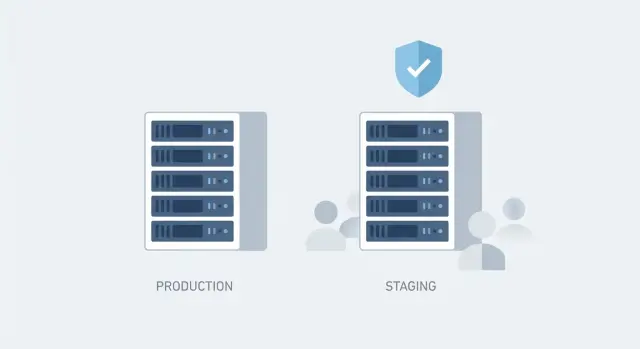
What problem you are solving (and why it matters)
Copying production data into staging feels like the fastest way to test a fix. It's also one of the easiest ways to expose real people’s information where it doesn’t belong. Staging often has looser access, more people poking around, and extra logging turned on. One screenshot, debug export, or misconfigured backup can leak data.
PII (personally identifiable information) is any data that can identify someone directly or indirectly. In most apps that includes names, emails, phone numbers, addresses, and payment details. It also includes less obvious things like IP addresses, session tokens, password reset links, OAuth tokens, device IDs, and free-text notes users type into forms.
The goal of staging without PII is straightforward: testing should be realistic enough to catch bugs, without putting real customers at risk. You’re protecting users, reducing legal exposure, and avoiding the situation where a “safe” test system becomes a second copy of production.
Realistic testing doesn’t require perfect realism. Most fixes only need the same data volume (so pages load and queries behave), the same data shape (required fields, formats, edge cases), and the same flows (signup, login, payments, emails) pointed at safe services.
If you’re fixing a broken login, you don’t need real customer emails or passwords. You need accounts that behave like production accounts: verified vs unverified users, different roles, expired sessions, and a few tricky inputs (like unusual characters in an email field).
This matters even more with AI-generated prototypes, where staging is often created quickly and insecurely by default. “Temporary” staging copies also tend to include exposed secrets or full user tables.
What staging should be used for
Staging is where you rehearse changes before they touch real customers. The goal is confidence: the app should behave like production, but without the risk that someone can view, export, or leak customer details. Staging without PII isn’t a “nice to have.” It’s how you test quickly without creating an uncontrolled copy of your users.
Staging is most useful when it answers practical questions: did the fix work, will this migration run cleanly, and will the app hold up under normal load? It’s also where QA verifies critical flows end to end (signup, login, checkout, password reset), and where you practice deployments and rollbacks.
Not every test needs real data, but some tests need real data shape. You usually need realistic sizes, formats, and relationships (tables connected correctly, edge cases like empty fields, long names, or unusual currencies). You rarely need real names, emails, phone numbers, addresses, or free-text notes.
A helpful way to think about staging is that it supports functional testing, change safety (migrations and deploys), performance checks, security checks (auth and role enforcement), and QA sign-off.
Analytics and reporting validation is different. If you need to validate metric logic, use synthetic or heavily anonymized data and agree up front that you’re testing the math, not matching historical totals.
Map where PII lives before you touch anything
If you want staging without PII, the first job isn’t copying data. It’s knowing where personal data sits today, including the places nobody thinks about.
Start with an inventory of every place your app writes or reads data. Don’t rely on “we only use Postgres.” Most apps also have side stores that quietly collect user info: object storage, logs, caches, search indexes, and third-party tools.
Check at least these areas:
- Primary databases (SQL and NoSQL)
- Object storage (uploads, exports, backups)
- Logs and error trackers (app logs, proxy logs, analytics)
- Search and caching (search indexes, Redis)
- Third-party tools (email, CRM, support chat)
Then identify sensitive fields and tables. Go beyond email and phone. “Hidden” PII often shows up in shipping notes, profile bios, admin comments, and any free-text field.
To catch derived PII, scan for values that identify a person even if they aren’t labeled as such, like usernames or IDs embedded in URLs, IP addresses and device IDs in logs, attachments (images, PDFs), and event names or tags that include email-like strings.
One common trap: you exclude the users table, but a search index still contains customer names from profile text. Another: logs store full request bodies during a failed login, including emails and reset tokens.
Finally, decide who owns this PII map and how it stays current. Pick one owner (often the tech lead) and one reviewer (security or ops). Refresh it whenever you add an integration, change logging, or introduce a new user-facing form.
Choose an anonymization approach that fits your app
The safest staging setup starts with one decision: what tests you actually need to run. If you’re verifying a bug fix in search or checkout, you usually don’t need raw customer profiles, real emails, or exact addresses.
Start with the least data that still proves the fix
Before you copy anything, write down the 2 to 3 test cases you must run. Then keep only the tables and columns those tests touch. This “data minimization” step often reduces risk more than any fancy masking technique.
After that, choose an approach that matches how your app joins data across tables and what “realistic” means for QA:
- Format-preserving masking: replace values but keep the shape (an email-looking string, a phone-looking string). Useful when UIs and integrations reject invalid formats.
- Tokenization: swap PII for consistent tokens so the same person still matches across tables. Best when you must preserve relationships like user -> orders -> tickets.
- Synthetic data: generate fake users and activity that look like real usage patterns. Great for demos and load testing, weaker for reproducing rare edge cases.
- Aggregation: keep totals, trends, and buckets instead of row-level details. Useful for analytics testing.
- Hybrid: minimize first, then tokenize the few fields you truly need to keep consistent.
Example: if you’re testing a “duplicate account” bug, random masking might remove duplicates and make the test impossible. Tokenization keeps stable, repeatable identities without exposing real emails.
Step by step: build an anonymized dataset
Start by deciding what data you need to test. Choose a snapshot window that’s recent enough to reflect current behavior (new signup flows, current pricing rules), but small enough to move quickly. For many apps, the last 7 to 30 days plus a handful of long-lived accounts is plenty.
Create a clean target for staging data. That can be a separate database instance or a dedicated staging schema with strict access rules. Keeping it separate makes it harder to query real customer tables by accident, and easier to drop and rebuild when masking rules change.
Run a repeatable transform job
Treat anonymization like a build step, not a one-time manual task. Put the logic into a script or job you can rerun, and version it so changes are tracked.
A practical flow:
- Export or snapshot only the tables you need.
- Load into staging tables first (raw copy), then write into final anonymized tables.
- Replace direct identifiers (email, phone, names) using deterministic tokens so reruns stay stable.
- Generalize sensitive fields (addresses to city only, birthdates to year, notes to placeholder text).
- Rebuild indexes and run constraints after transforms to catch problems early.
Preserve relationships, then validate
Tests fail fast when IDs don’t line up, so keep relationships intact. A common pattern is to keep internal numeric IDs, while token-mapping anything that could identify a person. If you must remap IDs, generate a consistent mapping table per entity (users, orgs) and apply it everywhere.
Validate with simple checks: compare row counts by table, verify foreign keys still resolve, and do spot checks for obvious leaks (real email domains, free-text support messages, tokens in logs). If it looks like a real person, it isn’t anonymized enough.
Step by step: separate credentials and secrets
Staging without PII is only safe if it also has its own credentials. If staging can talk to production services, one wrong environment variable can turn a “test” into a real customer-impacting action.
Draw a hard line: staging gets its own accounts, its own keys, and its own secrets store. Nothing is shared, even “temporary” tokens pasted in to unblock a deploy.
A straightforward setup:
- Create a dedicated staging database user with least privilege.
- Rotate and scope every third-party key for staging. Use restricted keys and IP allowlists where available.
- For OAuth or social login, register separate staging apps (separate client IDs, secrets, redirect URLs).
- Disable real-world side effects by default: payments, email, SMS, push, webhooks. Use test modes or sandbox providers.
- Store secrets per environment in one place (a secret manager, or at minimum separate env files with strict access). Don’t keep secrets in repos, logs, or shared docs.
Practical example: you’re fixing a login flow. In staging, the auth provider uses a staging client ID, the email service is set to “log only,” and the database user can’t touch production. Even if the code points to the wrong hostname, it fails safely.
Guardrails that prevent accidental data leaks
Staging only stays safe if you assume mistakes will happen and build barriers around them. The goal is simple: even if someone misconfigures a job, pastes a token, or enables noisy logging, real customer data still doesn’t leak.
Make staging hard to reach. Private access beats warnings in a doc. Put it behind VPN, SSO, or an IP allowlist, and give everyone the least access they need. If your app has admin screens, create staging roles that can’t export data or view raw records.
Keep staging isolated from production where you can: separate networks, separate databases, and separate storage buckets. This cuts off a common failure mode, where staging quietly reads production.
A few guardrails that pay off quickly:
- Keep staging out of public discovery (no search indexing, no public sitemap) and separate analytics so events don’t mix.
- Use safe logging defaults: debug off, verbosity down, and log scrubbing for emails, tokens, and IDs.
- Add canary data (fake but recognizable strings like
canary_ssn_999-99-9999or[email protected]) and alert if it appears in logs, exports, or error reports. - Lock down outbound traffic so staging can’t call production APIs, webhooks, or messaging providers unless explicitly allowed.
Common mistakes that cause PII to slip into staging
The biggest leaks happen when staging is “almost production” and no one tracks what got copied over. Keeping PII out of staging takes more than masking database rows. You also need clean integrations, clean files, and clean logs.
Mistake 1: Production webhooks still firing
Teams anonymize the database, then forget the app still talks to live services. The result is staging tests triggering real emails, SMS, invoices, or CRM updates.
Rule of thumb: if staging can send something to a real person, it isn’t safe.
Mistake 2: Copying logs, analytics, and support exports
Logs and support tickets often contain free text like “My email is…” plus screenshots and attachments. Importing production logs into staging can reintroduce PII even when your tables look clean.
Keep staging logs fresh. If you must use samples, scrub free-text fields, headers, and request bodies.
Mistake 3: Forgetting object storage
Databases are only half the story. User uploads, invoices, PDFs, and “private” attachments usually live in object storage. If staging points to the same bucket or container as production, someone can accidentally open real customer files during QA.
Check uploads, generated PDFs, CDN caches tied to production origins, and any backups mounted in staging.
Mistake 4: Reusing the same third-party integrations
Even with separate API keys, some services share the same workspace, audience, or tenant. That can leak real contacts into “test” campaigns or mix staging events into production dashboards.
Create staging-only projects or tenants where possible, and name them clearly so production keys don’t get pasted into staging “just for a minute.”
Mistake 5: Breaking relationships during anonymization
Masking can silently break joins: a user ID changes, but an order table still points to the old value. You don’t notice until QA, and then someone “fixes” it by pulling a fresh production export.
A good test is to pick one user record and verify the full chain (user -> sessions -> orders -> invoices -> uploads) still works with fake data.
Quick checklist before you test fixes
A safe staging setup is less about “having a copy” and more about proving you can’t leak real customer data by accident.
Before QA, confirm:
- Secrets: staging uses its own API keys, database user, OAuth client, and JWT/session signing keys (and production values are not present in env vars or config files).
- Outbound calls: email, SMS, push, payments, and webhooks are disabled, stubbed, or routed to sandboxes.
- Data safety: sensitive fields are masked or tokenized, and uploads/files are not pointing at production storage.
- Access: staging access is limited, MFA is required where possible, and access is logged.
- Refresh: there’s a repeatable refresh method (script, job, or runbook), not a manual export/import.
Do one “prove it” pass before functional tests: try a password reset, a test payment, and a CSV export. Each action should either be blocked or go to a safe sink (test inbox, sandbox gateway, or a no-op).
A simple example: testing a broken login without real data
A founder has an AI-generated app that works in demos, but login breaks in production after a database migration. They want to test a fix safely in staging without copying real customers.
They bring over what they need and nothing more: the database schema (tables, indexes, constraints) plus a small set of fake users and sessions that match production shapes. They do not copy production rows, support tickets, uploaded files, payment records, or anything that identifies a real person.
A practical setup:
- Restore schema only (or run migrations) so staging matches production structure.
- Generate 20 to 50 fake users with edge cases (empty last name, locked account, unusual email formats).
- Tokenize identifiers so one “person” stays consistent across tables (user, profile, orders) while remaining fake.
- Seed a few password reset tokens and MFA states to cover the login paths being fixed.
Tokenization example: if production has a user like [email protected], you never copy it. Instead you create a stable fake mapping like [email protected]. Every place that user appears, they get the same fake email, so joins and lookups behave like production.
Separate credentials make this safe. Staging uses its own API keys and its own SMTP and payment settings. Even if a bug tries to send a password reset email or create a charge, it has nowhere real to go.
Next steps: make this repeatable (and get help if you need it)
Staging without PII isn’t a one-time project. It only stays safe if you can refresh it the same way every time, even when the team is busy.
Write a short staging refresh runbook: who runs the refresh, how often, what scripts to run, where the anonymized export is stored, and how you verify the result. Include a clear stop rule, such as: if validation fails, staging stays offline until fixed.
To keep up with changes, add a lightweight review whenever someone adds a new table, field, or integration. New “notes” columns, support uploads, and marketing forms are common ways personal data sneaks back in.
If you inherited an AI-generated codebase and staging feels unsafe or confusing, a focused audit can help. FixMyMess (fixmymess.ai) specializes in diagnosing and repairing AI-generated apps, including tracking down exposed secrets, broken auth flows, and risky staging wiring before you test the next fix.
Pick one upcoming fix, schedule a safe refresh, and treat staging refreshes like a release step, not a side task. That’s how you keep testing realistic without putting customer data at risk.
FAQ
Do I actually need production data in staging to test a fix?
Default to not copying production rows at all. Staging is for proving behavior (flows, data shape, volume), not for holding real customer identities. If you truly need production-like data, copy the minimum tables and then mask or tokenize anything that could identify a person before anyone can access it.
What counts as PII in a typical web app (beyond name and email)?
Start with the obvious fields like names, emails, phone numbers, and addresses, then look for the “quiet” stuff: IP addresses, device IDs, session tokens, password reset links, OAuth tokens, and free-text notes. Also check logs, uploads, exports, search indexes, and third-party tools, because PII often leaks through those even when the main database looks clean.
What’s the fastest way to map where PII lives before building staging?
Map every place your app stores or forwards data: databases, object storage, logs, caches, search, and integrations like email or support tools. Then pick one owner to keep the map current and update it whenever you add a form field, a new integration, or more detailed logging.
How do I decide what data to keep versus remove for staging?
Use data minimization first: write down the exact test cases you must run, then keep only the tables and columns those tests touch. After that, apply masking or tokenization to what remains so you can still exercise the UI and flows without keeping real identities.
When should I use masking vs tokenization vs synthetic data?
Use masking when you only need values that “look right” (like an email-shaped string), and use tokenization when you must preserve consistent identities across tables (so the same user matches their orders and sessions). A common safe default is deterministic tokenization for identifiers plus heavy scrubbing of free-text fields.
What’s a practical step-by-step process to generate an anonymized staging dataset?
Build it as a repeatable job, not a one-off manual export. Load a limited snapshot into a raw staging area, transform into final anonymized tables, then validate that relationships still work and obvious leaks are gone (like real domains, real-looking names, or tokens showing up in text fields).
How do I preserve relationships between tables after anonymization?
Keep internal IDs stable if you can, and only replace the parts that identify a person (emails, names, phones, external IDs). If you must remap IDs, create a mapping table per entity and apply it everywhere, otherwise you’ll break joins and QA will fail in ways that tempt people to re-import production data.
What does “separate credentials” mean for a staging environment?
Give staging its own database user, API keys, OAuth clients, and signing keys, and make sure production values cannot appear in staging config. Also disable or sandbox side effects like email, SMS, payments, and webhooks so a misconfiguration can’t reach real customers.
What are the most common ways PII slips into staging even after masking the database?
Most accidental leaks happen through logs, exports, uploads, and outbound integrations. Lock down access (VPN/SSO/IP allowlists), scrub logs by default, isolate storage buckets, and block outbound calls to production services so staging fails safely even when someone makes a mistake.
How do I keep staging PII-free over time, especially with an AI-generated codebase?
Treat refreshes like a release step: a script you can rerun, plus a short validation checklist and a clear stop rule if checks fail. If you inherited an AI-generated app and staging feels risky or tangled, FixMyMess can audit the code and wiring, find exposed secrets, and help rebuild staging so you can test fixes safely within 48–72 hours.