Storage bucket exposure audit: stop public files and listing
Storage bucket exposure audit checklist to spot public ACLs, risky defaults, and unsafe upload rules so private user files stay private.
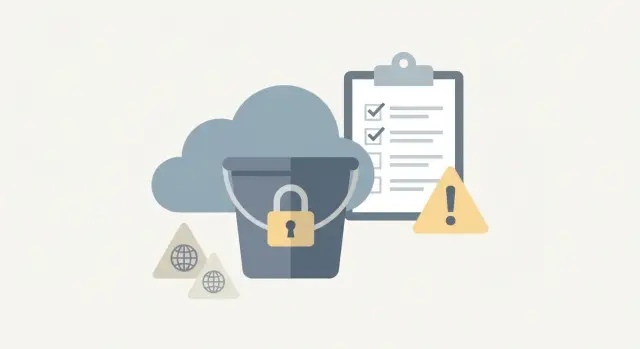
What storage bucket exposure looks like in real life
A storage bucket is a big folder in the cloud where an app keeps files: profile photos, invoices, audio notes, exported reports, and anything users upload. Teams like buckets because they’re cheap, fast, and easy to connect to an app.
Exposure usually doesn’t happen because someone “hacks” the bucket. It happens because a setting is left open during a prototype, a demo, or a rushed launch. One checkbox can make the whole bucket public. Or someone assumes “private by default” when the default is actually permissive.
Exposure typically shows up in two ways:
- Public: anyone can fetch a file, and sometimes list the entire bucket like a directory.
- Unlisted but guessable: files aren’t indexed, but the URL pattern is predictable, so people can guess names like
uploads/user_123/id.jpgor try common filenames.
The second one is sneakier. A founder might test a “private” upload, see that it doesn’t appear in the app, and assume it’s safe. But if the link can be guessed (or casually shared), it’s still effectively public.
Prototyping is where this often starts. Tools that generate apps quickly may use simple rules like “allow read for everyone” so nothing breaks during a demo. Then the prototype grows into production, and the bucket keeps the demo settings.
A storage bucket exposure audit looks for these real-world failure points before they turn into a breach: public access flags, permissive defaults, and upload rules that make private files easy to fetch or list.
Make an inventory of buckets and what they contain
Start with the unglamorous step: write down every bucket and what it’s used for. Many leaks happen in the “extra” buckets nobody remembers, like exports, backups, or old staging projects.
Map buckets to real app features. If your app lets people upload avatars, attach invoices, send chat images, or export CSV reports, each of those features is writing files somewhere. Don’t rely on guesswork - check your code and your cloud console so you capture the full picture.
Instead of organizing by team name, organize by what the files are:
- User uploads (photos, docs, audio)
- Generated files (PDFs, thumbnails)
- Exports and reports
- Backups and snapshots
- Internal artifacts (logs, build outputs)
For each category, record three things: where files live (bucket plus path/prefix), how files get there (which service or endpoint writes them), and how long they should remain.
Then decide who should be able to read each file type. “Everyone on the internet” should be rare. Many teams label something “public” when it only needs to be readable by logged-in users, or by one customer and your support team.
A quick sanity check for each bucket or prefix:
- Is this content truly meant to be public forever?
- If it’s private, who exactly can read it?
- What happens if someone guesses a filename?
- Do links need to expire?
Quick checklist: 5 checks you can do today
You can learn a lot in 15 minutes by testing what a random stranger could do with zero access. Run these five checks and record pass/fail for each bucket:
- Open a real file URL in a private browser window. If it loads without login, treat it as public.
- Check whether listing is possible. If you can browse objects (or get an index-like response), you’re close to a full leak.
- Walk through the upload flow end-to-end. If uploads work without authentication, or the server doesn’t validate basic constraints, assume abuse is possible.
- Look at URL patterns. If keys include usernames, timestamps, order numbers, or simple IDs, people can guess URLs and harvest files.
- Search for sensitive “strays” like
.envfiles, database dumps, backups, exported logs, or temp folders.
A quick reality check: if your app saves profile photos as /uploads/jane-1700000000.png, even a non-listable bucket can leak via guesses.
Check for public access settings and ACLs
Start at the bucket level. A single “public” toggle can override careful app logic and make every object reachable by anyone who can guess a URL.
Public access controls often exist in more than one place: a bucket setting (block public access), a bucket policy (who can read or list), and object ACLs (per-file permissions). If any layer allows anonymous reads, private files can leak.
What to verify first:
- Confirm the bucket blocks public access at the setting level.
- Confirm listing is blocked. Public listing is often worse than public reads because it exposes everything.
- Scan for object ACL patterns like
public-readon user uploads. - Record who owns the bucket (account/project/service role) and who can change settings.
ACLs deserve extra attention because they can be applied one object at a time. One buggy upload path can quietly create public files even if the bucket policy looks fine.
If you find any public access, treat it as urgent. Lock down reads and listing first. Then fix defaults and upload rules so the problem doesn’t come back.
Review default permissions and inherited policies
Many leaks happen because the bucket isn’t “public” on paper, but new files inherit permissions that make them readable anyway. The fastest win is to confirm what happens by default when your app uploads a brand-new object.
Check bucket-level defaults for new uploads. Some setups apply a default ACL or canned permission that makes objects readable to anyone with the URL.
Then review policies that apply above the bucket. A bucket policy can override per-file settings, and an account-level rule can override the bucket. Broad rules like read access for “all users” (or any equivalent global principal) are a common source of surprise exposure.
Check what your app does during upload
Many apps set permissions automatically during upload, often copied from a tutorial. Search your code for terms like "public-read", "acl", "make public", or fallbacks that switch from signed URLs to public URLs when something fails.
To validate real behavior, upload one test file and verify:
- Can it be read without logging in?
- Does it show up through any listing endpoint?
- Does changing bucket defaults affect existing objects?
Watch for dev, staging, and production drift
Teams sometimes lock down production but leave dev or staging wide open, then accidentally point the frontend or mobile app to the wrong bucket. A common failure mode is a “temporary” staging bucket with global read, plus a release build that still uses staging config.
Audit your upload rules so private files stay private
Most storage leaks start at upload time. If your app lets someone upload a file, you need clear rules for who can upload, where it lands, and who can read it later.
Require authentication before any upload, or use signed uploads that expire quickly. A signed upload should allow one object, to one location, for a short time, and only for the logged-in user who requested it.
Validation matters even when storage is private. Unsafe uploads can still create security and cost problems. Keep the rules simple:
- Accept only the types you actually need (check content, not just the extension).
- Set a hard size limit.
- Use per-user paths and random IDs (not usernames or timestamps).
- Block overwrites unless “replace this file” is an intentional feature.
A simple example: uploads/jane/profile.jpg is easy to guess. uploads/user_123/9f3a2c... is much harder to guess, and easier to control with policies.
Stop guessing, listing, and metadata leaks
A bucket can be “private” and still leak data if people can guess file keys, list objects, or learn too much from metadata.
Disable listing wherever your provider allows it. Listing turns one lucky guess into a directory of user files.
Next, fix predictable naming. If files are named like users/[email protected]/avatar.png or invoices/1042.pdf, outsiders can brute-force patterns and confirm which users exist. Use random, unguessable IDs for object keys, and keep user identifiers out of paths.
Metadata can leak too. Original filenames often contain real names, project names, or customer IDs. Some systems also store custom metadata like user_id or account_tier, which becomes a problem if an object ever becomes public by mistake.
If you’re trying to reduce discovery risk, focus on three moves: block listing, use unguessable keys, and keep metadata minimal.
Logging and alerts that actually catch exposure
Many bucket leaks are found late, after files have been downloaded for days. Logging turns a one-time audit into ongoing protection.
Enable logs for reads, writes, and deletes, not just errors. Reads matter most, because a public bucket can be scraped without breaking anything.
A useful log entry answers four questions:
- Who accessed it (user, service account, or anonymous)
- What happened (read, upload, delete)
- Which object was touched (full path/key)
- When it happened (timestamp)
For alerts, focus on patterns that usually signal trouble: anonymous access and unusual volume. A single anonymous read might be a misconfiguration test. A burst of anonymous reads is often a scraper.
Keep alerts small and actionable. For example: anonymous reads on a private bucket, sudden spikes in downloads, or lots of “not found” reads (a sign of guessing keys).
Also decide retention based on how long an incident might go unnoticed. If you only keep seven days, you may not be able to prove what was accessed.
Fixes that reduce risk and stay simple
The easiest way to stay safe is to pick one model and stick to it: a bucket is either for public assets (logos, marketing images) or for private user files (invoices, profile photos, exports). Mixing both is where “oops, it’s public” usually happens.
Start private-by-default. Block public access at the bucket level, then open up only what truly must be public. If something is meant to be public, make it obviously public by design (separate bucket, clear naming), not by accident.
For private downloads, avoid permanent public URLs. Serve files through your app after login and permission checks, or use signed URLs that expire quickly. Example: a user requests a PDF export, your app verifies ownership, then issues a link that works for five minutes.
Write down the final rules (who can upload, who can read, what is public). Most repeat incidents happen when someone “fixes it in the console” but the app still uploads with the old behavior.
Example scenario: a startup app with exposed user uploads
A small startup ships fast. Users can upload profile photos, and the app stores them in a cloud storage bucket. Everything looks fine until a user posts a screenshot showing someone else’s photo opening in a browser.
Here’s how it happens: the bucket allows public reads, or an old public-read ACL is still being applied on upload. The app also uses predictable names like user_123/avatar.jpg. Nobody meant to make photos public, but defaults and naming choices quietly did.
Once even one file is readable without signing in, guessing gets easy. An attacker can try common IDs (1, 2, 3...) and request avatar.jpg each time. If listing is enabled, they may not even need to guess.
A practical fix plan you can implement in a day:
- Block public access and remove public ACLs on existing objects.
- Use short-lived signed URLs for private downloads.
- Change naming to unguessable keys (random IDs), and avoid user IDs in paths.
- Enforce upload rules (type, size, destination path), and reject unintended overwrites.
- Review logs for unusual read spikes and rotate any exposed secrets.
Common mistakes that cause accidental public buckets
Most public buckets aren’t the result of a hacker. They happen because a temporary choice becomes permanent, or because nobody owns the settings after launch.
A common trap is assuming “not linked” means private. If a bucket allows anonymous reads, a file can be opened by anyone who guesses the path. If listing is enabled, an attacker doesn’t need to guess at all.
Another frequent issue is copying development settings into production. Dev buckets often allow broad access so teammates can move quickly. When that template gets reused for real user data, you end up hosting private files with demo rules.
Mistakes that show up again and again:
- Letting the browser or client app set ACLs directly without strict server-side checks.
- Using permanent public URLs for files that should be private.
- Relying on obscurity (random-looking filenames) instead of access controls.
- Leaving old test buckets around with real customer data.
- Mixing public and private files in the same bucket and adding exceptions that spread.
Next steps: lock it down and get an audit
Decide what “correct” looks like for every file type you store. Avatars and marketing images might be public on purpose. Receipts, exports, chat uploads, and anything tied to a user account should be private by default, with access granted only through your app.
Once you have that target behavior, verify bucket settings and then verify the code paths that upload, read, and share files. Buckets rarely leak on their own. Most leaks happen because the app sets the wrong ACL, generates a guessable key, or writes uploads into a public path.
A practical way to lock it down without making it complicated:
- Make a simple table: file type, public or private, and who can access it.
- Audit bucket settings and policies against that table.
- Review upload code: destination path, permissions set at upload time, and any “make public” flags.
- Add a regression check after deploy: try listing the bucket and fetching a file you shouldn’t be able to access.
- Turn on logging and alerts for policy changes and spikes in anonymous reads.
If you inherited an AI-generated prototype (for example from Lovable, Bolt, v0, Cursor, or Replit), storage permissions and upload paths are often where “it worked in the demo” turns into a real privacy incident. If you want help untangling it, FixMyMess (fixmymess.ai) can run a free code audit to identify exposed buckets, broken access checks, and risky upload defaults, then verify the fixes with human review.
FAQ
How can I quickly tell if my bucket is exposed?
Open a real file URL in a private/incognito window. If it loads without logging in, treat it as public.
Also try to access a file you should not have permission to see (like another user’s avatar or invoice) using the same URL pattern. If you can fetch it, your access controls aren’t working.
Why is bucket listing worse than a single public file?
Listing means someone can browse many objects, not just fetch a single guessed file. It turns one mistake into a full data dump.
Even if only a small part is listable, it often reveals filenames, prefixes, and patterns that make targeted guessing much easier.
What does “unlisted but guessable” actually mean?
If your URLs follow predictable patterns like user IDs, emails, timestamps, or order numbers, outsiders can brute-force likely paths. That makes “unlisted” effectively public.
The fix is to use unguessable object keys and enforce access checks for every read, not just hide the link.
What’s the difference between a bucket policy and object ACLs?
Bucket policies are broad rules that can allow (or block) read and list access across many objects. Object ACLs are per-file permissions and can quietly make individual uploads public even when the bucket looks locked down.
You need to check both, because one permissive ACL on a user upload path can leak private files without changing the bucket’s main policy.
How do I make an inventory of buckets without missing the “forgotten” ones?
Make a simple inventory of every bucket and what it stores, including forgotten exports, backups, and old staging projects. Then map each bucket or prefix to the feature that writes to it.
Once you know what belongs where, you can decide what must be public, what must be private, and which paths should never be readable without auth.
How do staging and dev buckets end up leaking production data?
Many teams lock down production but leave dev or staging open, then accidentally ship a build still pointing at the open bucket. Another common slip is copying a “demo-friendly” template into a real environment.
Check your app config for which bucket it targets in each environment, and verify that dev/staging don’t contain real customer data.
What are the safest upload rules for private user files?
A safe default is: require authentication before upload, and use short-lived signed uploads that only allow one object to one path for one user. After upload, keep objects private and only serve downloads after permission checks.
If you must use direct-to-storage uploads, make sure the server—not the client—decides the final destination path and permissions.
How should we name files so people can’t guess URLs?
Use random, unguessable object keys and avoid putting user identifiers in paths. For example, don’t use emails, sequential IDs, invoice numbers, or timestamps as the main key.
Also watch original filenames and custom metadata. If something ever becomes public by mistake, names and metadata can leak more than the file content alone.
What logging and alerts help catch bucket exposure early?
Turn on logs for reads as well as writes, because scraping looks like “normal” successful reads. The most useful signals are anonymous reads, sudden download spikes, and lots of 404s that suggest guessing.
Keep alerts small and specific so you’ll actually act on them, and retain logs long enough to investigate incidents that aren’t noticed immediately.
What should I do first if I discover public access on a bucket?
Lock down public access immediately: block public access at the bucket level, remove any public ACLs, and confirm listing is disabled. Then verify your app’s upload code isn’t re-creating public objects on new uploads.
If you inherited an AI-generated prototype, storage defaults and upload paths are often where the exposure starts. FixMyMess can run a free code audit to find the exact misconfigurations and confirm the fixes with human review.