TypeScript strict mode rollout for AI-generated apps
A staged TypeScript strict mode rollout for AI-generated apps that cuts runtime bugs, keeps PRs small, and avoids migration stalls.
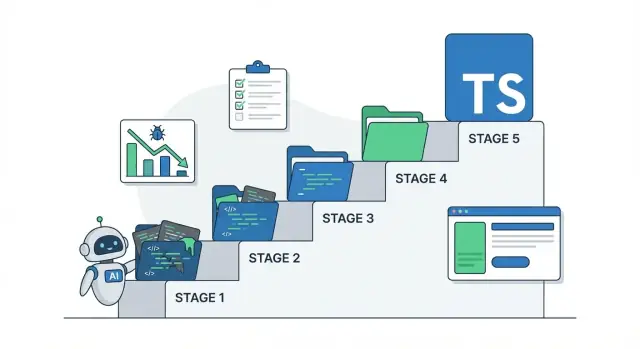
What strict mode changes (and why AI-generated apps break)
TypeScript strict mode isn't a single rule. It's a bundle of checks that stops the compiler from accepting guesses. Turning it on works best when you treat it like adding better smoke alarms, not rebuilding the whole house.
When you set "strict": true in tsconfig, TypeScript enables several settings that are often off in prototypes. The most noticeable ones are:
strictNullChecks: forces you to handlenullandundefinedon purposenoImplicitAny: stops silent “anything goes” typesstrictFunctionTypes: catches unsafe function parameter typesnoImplicitThis: avoids the “this is whatever” problemalwaysStrict: enforces JavaScript strict mode rules
AI-generated apps often break under these checks because they “work” by leaning on weak typing and hidden assumptions: parsing API responses as any, assuming a field always exists, treating user input as the right type, or passing half-formed objects between layers. Everything looks fine until a real user hits an edge case. Then you see undefined errors, broken auth flows, or data shaped differently than the UI expects.
Strict mode reduces runtime bugs by making these problems loud during development. It commonly catches:
- accessing properties on possibly
undefinedvalues - mixing up data shapes (for example,
{ id: string }vs{ id: number }) - calling functions with missing or wrong arguments
- unsafe use of
anythat hides real typing mistakes
The first enablement often feels noisy. That’s normal. Think of it as a controlled refactor: you’re adding clarity and guardrails in small areas, not rewriting the app.
Quick inventory: map the messy parts before changing config
Before you touch strict settings, spend an hour mapping where runtime bugs are most likely to hide. In AI-generated projects, one change in a “core” file can make errors explode across the repo.
Start by locating where data enters the app and gets reused. Weak types spread fastest through:
- API calls and client helpers (fetch wrappers, axios instances, response parsing)
- authentication and session handling (token storage, user objects, middleware)
- database layer and queries (ORM models, raw SQL, migrations)
- shared utilities and constants (date helpers, env access, feature flags)
- glue code between pages/components and services (mapping JSON to UI state)
Next, scan for patterns strict mode will expose. You’re not fixing them yet, just spotting where they are: lots of any, implicit any parameters, untyped JSON, optional fields used as if they’re always present, and “stringly typed” IDs that get mixed up (userId vs orgId).
Decide scope early so the work stays manageable. You can stage what you type-check: app source first, then tests, scripts, and build tooling. A common starting point is “app source only,” so you don’t get blocked by one-off dev scripts.
Finally, keep a lightweight migration notes doc. Track recurring error types (like “Object is possibly undefined”) and your preferred fix (guard clause, default value, or a better type). When you fix the 30th similar error, you’ll be glad you wrote it down.
Choose a staging strategy that keeps work manageable
A strict-mode rollout succeeds when you pick units of work you can finish. AI-generated apps often have uneven quality: one folder is fine, the next is full of implicit any, missing null checks, and copy-pasted types. Staging keeps you moving without turning the entire codebase into a wall of red.
Pick a migration unit that matches how the project is organized: by folder (layered projects), by feature (routes + UI + services), by package (monorepos), or by entrypoint (a worker, webhook, or job runner that causes most crashes).
Keep shipping while you migrate. Avoid a long-lived “strict mode” branch that drifts for weeks. Work in small PRs and merge often. If strictness isn’t on everywhere yet, treat the “strict area” as protected: new files inside it must be clean, and changes outside it shouldn’t weaken types.
Also pick one person to decide the migration patterns. This isn’t about hierarchy, it’s about consistency. Someone needs to choose answers to questions like: when to use unknown vs any, what to name shared types, and when a quick type guard is enough versus when a refactor is worth it.
For each chunk, define “done” clearly: strict checks pass for that chunk, tests pass (or you add one small test for the risky path), temporary escapes are tracked, and the code still reads simply.
Step-by-step rollout plan (small steps, fewer surprises)
Start by making sure you can tell whether you broke behavior. AI-generated apps often “work” because nothing checks edge cases, not because the code is safe.
Freeze today’s behavior with a build that runs the same way every time. Add a few smoke checks that cover the main paths: sign in, load a key page, submit a form, and call one API endpoint. Keep them simple, but repeatable.
Then roll strictness out in contained slices. The goal is fewer runtime bugs without turning everything into one giant refactor.
- Baseline the current app: make
tscrun in CI (or locally) and ensure the project builds cleanly in its current state. Add a tiny smoke script or a manual checklist you can run in 2 minutes. - Limit strictness to a safe area first: apply stricter settings to a single folder (a new feature, one package, or one module) so you can learn the error patterns without stopping all work.
- Fix the highest-risk runtime boundaries: focus on places where unknown data enters your system, like API responses, request bodies, env vars, localStorage, and database reads. Add parsing/validation and make types reflect reality.
- Expand gradually with small PRs: keep changes focused (one theme per PR), like “fix
anyin API client” or “add null checks in auth flow.” Small PRs are easier to review and less likely to hide behavior changes. - Flip strict for the whole project when the error count is low: once you’re down to a manageable number, enable strict globally and clean up the remaining hotspots.
Example: if your prototype occasionally crashes on “Cannot read property 'id' of undefined,” strictness will usually point you to the chain where user can be null. Fixing it once at the auth boundary often removes a whole class of bugs.
Which strictness flags to enable first (and why the order matters)
If you enable everything at once on messy code, you often get a wall of errors with no clear path forward. A better approach is to turn on checks in an order that keeps fixes local and reviews understandable.
A practical sequence for messy codebases is:
noImplicitAny: forces you to name unclear types instead of silently usinganystrictNullChecks: stops the classic “cannot read property of undefined” failuresstrictBindCallApply: catches bad function calls (common in copied utility code)noImplicitThis: prevents confusingthisusage in older patternsuseUnknownInCatchVariables: makes error handling safer than assumingany
After each flag, fix the new errors, then move to the next. You keep changes small, and you learn which parts of the app are actually fragile.
Whether to set "strict": true depends on your situation. If you have strong tests and a small codebase, it can be fine. For AI-generated apps with unclear boundaries, enabling flags one by one is usually safer.
You can also control the blast radius with include and exclude. Starting with src/ and skipping problem areas temporarily is often the difference between “progress” and “stuck.”
Treat some folders differently:
- generated output: exclude it and type-check the source instead
- vendor code: don’t edit it; wrap it with typed adapters
- legacy folders: isolate them and add types only where they touch new code
- mixed JS/TS: convert entry points first, not every file at once
Fix patterns that remove errors without over-engineering
The fastest wins come from fixing the same few error patterns consistently.
Start with implicit any. Add types at boundaries first: function inputs, return types, and anything that crosses a module line (API client, database helpers, event handlers). Once the edges are typed, many internal any errors disappear because TypeScript can infer more.
Null and undefined errors usually need less work than they look like. Prefer narrowing over complex types: check the value, return early, and keep the happy path clean. When a default is acceptable, set it once (for example, name ?? "" for display) rather than sprinkling non-null assertions (!) everywhere.
When you’re handling AI-shaped JSON, use unknown instead of any. unknown forces a check before you use the value, which is exactly what you want for untrusted payloads.
Practical fixes you can apply quickly
- Type inputs and outputs first (API functions, utilities, components), then fill in internals only where errors remain.
- Narrow nullable values with
if (!value) return ...and small guards liketypeof x === "string". - Use
unknownfor JSON and parse results, then narrow with simple checks before reading properties. - For API responses, validate or narrow what you need instead of trusting the whole payload shape.
React and forms are common pain points. Type events (React.ChangeEvent<HTMLInputElement>), keep state types consistent, and define component props explicitly. One correct event type can remove a surprising number of downstream errors.
Guardrails: keep strictness from slipping back
Turning on strictness is only half the job. The hard part is keeping it on when the next “quick fix” is tempting, especially in AI-generated code where it’s easy to paper over a problem with any.
Set guardrails that make the safe path the easy path. You don’t need a huge ruleset. Start with a few rules that match how your team actually breaks types:
- lint against
anyand “unsafe” type assertions (as unknown as X) except in a few allowed files - flag floating promises so async errors aren’t ignored
- require explicit return types on key boundaries (API handlers, auth, data access)
- ban
// @ts-ignoreunless it includes a reason and an expiration comment - watch for workarounds to
noUncheckedIndexedAccessthat hide real null cases
Keep exceptions visible. If a file needs to stay loose for a week, mark it and track it instead of letting “temporary” become permanent.
Add a simple CI gate: builds fail if new TypeScript errors appear. During a staged migration, the easiest version is scoping checks to the folder you’re tightening first, then widening the scope over time.
You can also add light “type tests” for shapes that matter. These are compile-time checks that protect key data structures, like “a Session must include a userId” or “the API response for /me includes email and role.” Keep them tiny.
Finally, reduce duplication by creating a small shared types folder for shapes your app keeps reinventing: User, Session, Role, ApiError. When these types live in one place, strictness work stays consistent and future generated code has a clear target to match.
Common mistakes that stall migrations (and how to avoid them)
Strict-mode projects stall when the team makes the compiler quiet, but doesn’t trust the runtime behavior. The goal isn’t “make errors go away.” The goal is fewer production bugs while you tighten types.
The fastest way to lose that trust is to silence the compiler instead of fixing the cause.
The shortcuts that backfire
- Replacing real fixes with
asassertions. If you’re writingas anyoras SomeTyperepeatedly, stop and ask what the value can be at runtime. Validate or narrow it. - Using the non-null assertion (
!) everywhere. It turns compile-time warnings into runtime crashes, especially around auth state, async data, and optional env vars. - Building giant union types to model messy inputs. They might be “correct,” but if nobody can read them, they rot. Normalize data at the boundary, then use one clean internal shape.
- Typing changes that also change behavior. Small edits like swapping
||for??, altering defaults, or reordering checks can change outputs. Keep typing edits separate from logic edits so reviews stay clear. - Migrating everything in one massive PR. It looks efficient until one hard file blocks the whole merge. Break work into slices you can finish.
A practical habit: whenever you add a cast or !, leave yourself a note and try to remove it before the next milestone. If it can’t be removed, you probably need a real runtime check.
A quick example
Say an AI-generated signup flow reads req.body.email and you silence errors with as string and email!.trim(). It compiles, but an empty payload now throws. A safer fix is to check the type and return a clear error early.
Quick checklist before you flip strict on wider scope
Before you widen strict settings across the repo, make sure the basics are stable. Strict mode changes how confident you can be in every value that flows through the app.
If the project builds only on one laptop, or depends on an unpinned TypeScript version, you’ll waste time chasing errors that have nothing to do with your code.
Pre-flight checks that keep rollouts predictable:
- The app builds cleanly today with a pinned TypeScript version and the same command in CI.
- You can name the top 2 to 3 runtime bug sources (often null values, API response mismatches, and auth edge cases) and you know where they show up.
- Your main boundaries are typed, even if the inside is still messy: API client calls, database access layer, and environment variables.
- You can keep changes small: each PR fits in under a day and has one clear theme.
- You have a clear rule for when
anyis acceptable, and it’s rare and documented.
A simple scenario helps: imagine your prototype sometimes logs users out after refresh. If your auth helper returns User | null but downstream code treats it as always present, you get random crashes. Before expanding strictness, confirm you have one typed place where “user can be null” is handled, and the rest of the app reads from that.
Example: tightening a prototype without slowing feature work
A founder inherits a Lovable or Bolt prototype. It runs fine locally, but production crashes after login and some pages show blank data. The code “works” until a real user hits an edge case: a missing field, a null from the API, or a number that arrives as a string.
Instead of flipping strict: true everywhere and drowning in errors, treat strict mode like a series of small, high-impact fixes.
Start where runtime bugs hurt most: the API layer and auth. In this prototype, getSession() sometimes returns undefined, but the UI assumes it always exists. Strict checks surface it quickly.
// Before
const userId = session.user.id

// After
const userId = session?.user?.id
if (!userId) throw new Error("Not authenticated")
Next, move to shared utilities, where one fix can protect many screens. A common example is numeric parsing. The API sends "42", but the app treats it as a number and later does math that becomes NaN.
A staged path that usually keeps feature work moving:
- add strictness only to API/auth files first
- fix the top errors that map to real crashes
- tighten shared helpers (parsing, date handling, config)
- expand strict checks to UI components last
Along the way, you’ll hit typical generated-code mistakes: assuming optional fields always exist (profile.name), mixing types (string | number), or returning partial objects from functions. The fix is rarely fancy. Add simple guards, correct return types, and normalize data at the boundary (API response in, clean app types out).
What “good” looks like after the rollout: fewer production crashes, clearer rules about what can be undefined, and a small set of owners for core files (auth, API client, shared types).
Next steps: get a clear migration plan (and help if you need it)
Strict mode works when you choose a pace you can keep. Before you commit, decide what “done” means for your app: fewer production bugs, safer auth and data handling, or a codebase your team can change without fear.
If you keep seeing the same “impossible” bugs (random logouts, auth logic that changes between environments, secrets ending up in the repo), that’s a sign the boundaries need attention. Another red flag is spaghetti architecture: files that do everything, no clear separation, and type fixes that spread across dozens of unrelated modules.
If you inherited an AI-generated prototype and want an outside set of eyes, FixMyMess (fixmymess.ai) focuses on taking AI-built apps and turning them into production-ready software by diagnosing the codebase, repairing logic, hardening security, refactoring unsafe areas, and preparing deployments. A practical first step is a free code audit so you can get a staged strict-mode plan without guessing where to start.
FAQ
Should I turn on "strict": true all at once, or enable flags one by one?
Set "strict": true to enable the whole bundle, but on messy code it’s usually safer to turn on individual flags one at a time. Start with the checks that force clarity at boundaries, then expand once the error count is manageable.
Why do AI-generated TypeScript apps explode with errors when strict mode is enabled?
Expect lots of errors where the app is guessing: API responses typed as any, optional fields used like they’re always present, and auth/session objects passed around without a real shape. The compiler is surfacing the same assumptions that cause runtime crashes like “cannot read property of undefined.”
What’s the best place to start a strict-mode rollout?
Start at runtime boundaries: API client code, request/response parsing, auth/session helpers, env var access, and database reads. Fixing types and null handling there often removes entire classes of downstream errors without touching every UI file.
When should I use unknown instead of any?
Use unknown for JSON and untrusted payloads so you’re forced to check before you read properties. Use any only as a temporary escape when you’re blocked, and track it so it doesn’t spread through the codebase.
How do I fix “Object is possibly undefined” without littering the code with !?
Prefer narrowing with small runtime checks and early returns, then keep the “happy path” clean. If a default value is valid, set it once where it enters the UI or domain layer rather than sprinkling non-null assertions that can hide real bugs.
How can I migrate to strict mode without stopping feature work?
Stage the migration by folder, feature, package, or entrypoint, and keep each change small enough to finish quickly. Merge often so you don’t end up with a long-lived branch that becomes impossible to review or rebase.
What strictness flags should I enable first, and in what order?
A practical order is noImplicitAny first to stop silent weak typing, then strictNullChecks to catch null/undefined crashes, then add more targeted flags after you’ve learned the main error patterns in your code. The key is fixing after each step before moving on.
How do I reduce implicit any errors quickly without over-typing everything?
Type the inputs and outputs first: function parameters, return types, and module boundaries like API helpers and data access. Once the edges are typed, TypeScript can infer more inside the module, and many errors disappear without you hand-typing every local variable.
What are the most common strict-mode migration mistakes that cause regressions?
Separate typing-only changes from behavior changes, because “small” edits can alter logic in subtle ways. Avoid repeated casts like as SomeType and as any; if you keep needing them, add a real runtime check or normalize the data at the boundary.
How do I keep strictness from slipping back after the migration?
Add a simple CI gate that fails on new TypeScript errors in the area you’re tightening, then widen the scope over time. If you inherited a broken AI-generated prototype and want a fast, staged plan with fixes verified by humans, FixMyMess can start with a free code audit and typically get projects stable within 48–72 hours.