Web app glossary for founders: API, hosting, SSL, and more
Web app glossary for founders with plain definitions of API, database, hosting, domain, SSL, and environment settings, plus why each matters.
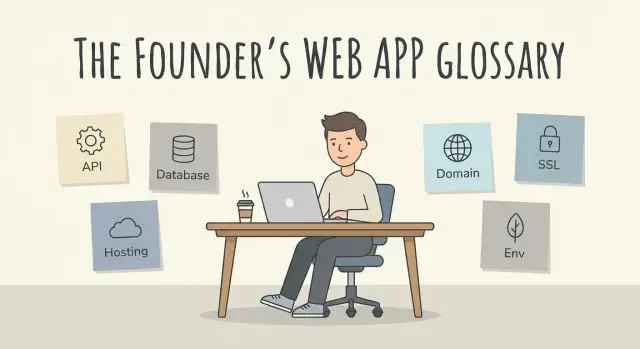
Why these web app terms matter (in plain English)
Founder stress often comes from one gap: you can describe what the product should do, but not what it needs to run safely and reliably.
When the basics are fuzzy, small decisions get expensive. A “quick change” breaks login because the API and database are tangled. A demo works on a laptop but fails for real users because production settings are different. A contractor asks for “DNS access” and you’re not sure if that means your domain, your hosting, or both.
A simple mental model helps: a web app has parts (what it is) and places (where it runs).
The parts are things like the API (how the app talks), the database (where data lives), and environment settings (the secret knobs and switches). The places are things like hosting (the servers), your domain and DNS (the address and directions), and SSL/TLS (the HTTPS lock).
This difference is also what separates a prototype from a production app. Prototypes often survive with hard-coded keys, one shared admin account, and a resettable database. Production needs real access control, backups, monitoring, and careful handling of secrets.
These terms show up fast once you start making real product decisions: adding Google sign-in means redirects and HTTPS have to be right; adding payments means keys and secure endpoints; hiring help forces you to decide who gets access to the domain, hosting, and database; launching new features means planning how to change data without breaking existing users.
If you inherited an AI-built app that feels fragile, getting clear on these words is often the fastest way to spot why it breaks in production.
API: how apps talk to other apps
An API is a set of rules that lets one software system request data or actions from another. Think of it like a waiter taking an order: your app asks for something, the other service responds with the result.
An API isn’t your whole app, and it isn’t a database. It’s the doorway and the message format used to get in and out. Many “simple” features are really a bundle of API calls behind the scenes.
You run into APIs everywhere: payments, email, SMS, maps, analytics, and “Sign in with Google.”
APIs fail for a few predictable reasons. The common ones are a bad or missing API key (the secret token that proves your app is allowed to use the service), rate limits (you’re blocked after too many requests), and version changes (the provider updates the API and older requests stop working).
A small example: your app takes payments, but checkout suddenly breaks. Nothing in your UI changed. The real issue could be an expired key, a switched “test” vs “live” setting, or a new required field in the payment API.
Practical questions to ask about any API:
- Where are the API keys stored, and who can access them?
- What happens if the API is down or slow?
- Where do errors show up so we can debug quickly?
- How do we handle rate limits and version upgrades?
If you inherited an AI-generated prototype, double-check that API keys aren’t hard-coded or exposed.
Database: where your app keeps its data
A database is where your web app stores information so it doesn’t disappear when someone refreshes the page or closes their laptop. If your app needs to remember users, orders, messages, or settings, it needs a database.
Many databases store data in a structure that looks like a spreadsheet. A table is like one spreadsheet (for example, “Users”). Each row is one item (one user). Each column is a field (email, created date, plan). People also say “record” to mean one saved item, usually one row.
SQL vs NoSQL (the two labels you’ll hear)
SQL databases (like Postgres or MySQL) are a good fit when your data has clear relationships, like users to projects to invoices. They’re stricter about structure, which helps prevent messy data later.
NoSQL databases (like MongoDB) are more flexible when data shapes change a lot, like event logs or varied content blocks. The tradeoff is you usually have to be more careful about consistency and reporting.
Why this matters to founders
Your database choice and setup changes day-to-day product reality:
- Speed: slow queries make the whole app feel sluggish.
- Cost: messy data design can push you into bigger servers earlier than expected.
- Backups: without tested backups, one mistake can mean real data loss.
- Reliability: schema changes and “quick fixes” can break production at the worst time.
A concrete example: a waitlist app starts with a single “Users” table. Then you add referrals. If referrals are stored as one text field like “friend1, friend2…”, reporting becomes painful and performance can drop. A small data model change (a separate “Referrals” table) keeps things clean and fast.
If you’re reviewing an AI-generated codebase, pay extra attention to database access and security basics. Unsafe queries can open the door to SQL injection, and “spaghetti” data models are expensive to untangle later.
Hosting and deployment: where your app lives
Hosting is where your web app runs. When someone opens your site, their browser loads files from a server (or a CDN). If you have server-side code, it runs on a machine somewhere. This is the term that turns “it works on my laptop” into “it works for customers.”
Frontend hosting is usually the easiest part: it serves static files (HTML, CSS, JavaScript, images). Backend hosting is where your API runs, background jobs run, and secure access to your database happens. If your app has logins, payments, or anything that saves data, you almost always have a backend somewhere, even if it’s hidden behind a tool.
Deployment is shipping a new version to that hosting. It sounds like “upload the new code,” but it often includes rebuilding assets, restarting servers, and running database changes. Deployments break when new code expects settings the server doesn’t have.
Common ways a deployment goes wrong include missing environment variables, database changes that weren’t applied, deploying the wrong build, or a server restart that never brings background workers back.
What you pay for in hosting is mostly reliability and headroom: uptime, scaling during traffic spikes, regions (for speed and compliance), and observability (logs and alerts that help you debug fast).
Example: you launch after a demo that worked perfectly, then real users hit it and requests time out. The hosting may be under-sized, or a deployment may have disabled caching.
Domain and DNS: your address and directions
A domain is your app’s name on the internet, like yourcompany.com. It’s what people remember, type, and share.
DNS (Domain Name System) is the directory that tells browsers where that address should go. When someone types your domain, DNS points their device to the right server, load balancer, or hosting provider. If DNS is wrong (or slow to update), your app can look “down” even when your code and hosting are fine.
DNS in one minute
DNS works through small records. The most common ones map your domain to an IP address (A record), map one name to another name (CNAME), and route email (MX, plus SPF/DKIM/DMARC). Each record has a “time to live” (TTL), which affects how quickly changes spread.
Subdomains help keep things organized, like app.yourcompany.com for the product, api.yourcompany.com for the backend, and admin.yourcompany.com for internal tools.
Why it matters (outages, email, trust)
DNS mistakes are a classic launch-day problem. Example: you move hosting providers and update DNS, but the old record still points some visitors to the old server for a few hours. Half your users see the new site, half see errors. It feels random, but it’s usually TTL and caching.
DNS also affects email delivery. If your email records are missing or wrong, password resets and invoices can land in spam or never arrive.
A simple routine that prevents surprises:
- Write down where DNS is managed (registrar vs DNS provider).
- Lower TTL before planned changes, then raise it again.
- Remove “mystery” subdomains you don’t use.
- Set up email records before you send real customer email.
SSL/TLS: the HTTPS lock and what it protects
SSL/TLS encrypts data as it travels between a user’s browser and your web app. When it’s working, people see HTTPS and the lock icon in the address bar. The lock doesn’t mean your app is safe in every way, but it does mean outsiders can’t easily read or change what’s being sent over the network.
HTTP vs HTTPS (and why browsers complain)
HTTP is plain text. If someone is on the same network (public Wi-Fi is the classic example), they can potentially watch traffic, steal session cookies, or tamper with requests.
HTTPS is HTTP plus TLS encryption. Without it, modern browsers show warnings like “Not secure,” and many users bounce before signing up. Some features also require HTTPS, including many payment flows and modern login patterns.
Certificates: where they come from (and who renews them)
To enable HTTPS, your hosting provider (or deployment setup) uses an SSL/TLS certificate. The certificate proves your server is really the owner of your domain and enables encrypted connections.
Certificates are issued by a trusted Certificate Authority and can auto-renew. Whether that happens automatically depends on your setup. Managed platforms often handle renewals; custom servers may require a developer to renew and deploy updates. Misconfigured renewals can lead to sudden outages and browser warnings.
Why it matters day to day: it protects passwords and session tokens in transit, reduces checkout friction, and prevents “Not secure” trust-killers.
Environment settings: the knobs behind the app
Environment settings are values your app reads when it starts. They live outside the code so you can change them without editing files. Think of them as the app’s “knobs”: which database to use, which payment account to charge, and where to send emails.
They exist for one big reason: the same code should run in different places. Your laptop needs safe test settings. Your live site needs real credentials. Keeping values separate also helps you avoid putting secrets into the codebase.
Common examples:
- API keys (payments, AI tools, maps, analytics)
- Database URL
- Email provider settings
- Auth settings (JWT secret, OAuth client IDs)
- Base URLs (what the app thinks its public address is)
Dev vs staging vs production (simple version)
Dev is your local machine: fast changes, lots of logs, fake data. Staging is a rehearsal environment: it should look like production but isn’t customer-facing. Production is the real app users rely on.
If dev and production settings get mixed up, weird things happen: a “test” payment hits a real card, emails go to customers from the wrong sender, or login breaks because cookies and redirect URLs no longer match.
Why it matters (security and surprise bugs)
Many serious leaks happen here. If a secret key is hard-coded or accidentally exposed, anyone can use it. If a database URL points to the wrong place, you can lose data or show the wrong user info.
A quick founder check before launch:
- Confirm production uses its own keys and its own database.
- Make sure auth redirect URLs match your real domain.
- Verify email settings in production (send one test email).
- Remove debug settings and sample admin accounts.
Example scenario: a small launch that goes sideways
Maya is launching a simple booking app for her studio. Customers pick a time, pay a deposit, and get a confirmation email. It worked on her laptop, so she pushes it live the night before a promo.
Ten minutes after announcing it, messages start coming in: “I can’t log in,” “Payment fails,” and one person says their browser shows a scary warning.
Here’s what’s happening behind the scenes.
The app talks to a payment provider and an email service through an API. In production, it needs API keys stored as environment settings. Maya copied the keys wrong, so every payment call is rejected. Then, while trying to fix it fast, she pastes the real key into a public chat. Now the key is leaked, and someone could use it to send spam or run charges until it’s rotated.
Meanwhile, the domain is still pointing to last week’s test server. Some visitors hit the new app, others hit the old one, depending on where they are and whether their DNS has updated.
Then there’s SSL/TLS (the HTTPS lock). The new server is missing the correct SSL setup for the domain, so browsers block the site or refuse to send secure cookies. Login sessions fail, and checkout pages can break because modern payment flows expect HTTPS.
The chain reaction looks like this:
- Wrong environment value (API key) breaks payments and emails.
- A leaked key turns a bug into a security incident.
- DNS pointing to the wrong place creates random behavior.
- Missing or misconfigured SSL breaks trust, login cookies, and checkout.
A 15-minute map of your web app (step by step)
When you need to debug a broken signup, switch hosts, or hand the project to a new developer, you’ll be glad you made a simple one-page map. It also helps you spot risks like “only one person knows where the database is” or “no one owns SSL renewals.”
Set a timer for 15 minutes and write answers in plain words. Not perfect diagrams.
The 5-step map
- List your parts: frontend (what users see), backend (your logic), database (your data), and any third-party services (payments, email, analytics).
- Write down what’s hosted where: which provider runs the frontend and backend, where the database lives, and who has admin access.
- Record domain, DNS, and SSL ownership: who owns the domain account, where DNS is managed, and who controls SSL/TLS certificates (and renewal alerts).
- Inventory environment settings: note key variables (API keys, database URL, auth secrets), where they’re stored, and who can change them.
- Confirm deployments and rollback: how code goes live, who can deploy, and the exact steps to revert when something breaks.
A quick reality check
Imagine you change your email provider and signups stop working. With this map, you can trace it: frontend calls backend, backend calls the email API, the API key lives in environment settings, and the last deployment changed it.
Common mistakes founders make with web app basics
Most early web app problems aren’t “hard engineering.” They’re simple setup mistakes that sit quietly until launch day.
A classic mistake is mixing up your domain and your hosting. The domain is your name; hosting is where the app runs. When those get confused, you end up updating DNS when the real issue is a failed deployment, or redeploying when the real issue is an outdated DNS record. To users, it looks the same: the site is “down.”
Another big one is secrets in the wrong place. API keys, database passwords, and admin tokens should live in environment settings, not in source code, not in a shared doc, and not pasted into chat. Once a secret leaks, it’s hard to know who has it. Rotating keys can also break your app if the code is wired in sloppy ways.
Founders also skip the safety nets: backups, rollback, and monitoring. Without backups, a bad migration can wipe data. Without rollback, a buggy release becomes a long outage. Without monitoring, you might not even notice the problem until customers tell you.
Finally, SSL certificates expire. When they do, browsers throw warnings and many users leave. It’s preventable, but easy to forget while you’re busy building.
A few habits prevent most of this:
- Keep a simple “where things live” note (domain, DNS, hosting, database, and access).
- Store secrets only in environment settings and rotate them if they ever leak.
- Set up backups and a rollback plan before big changes.
- Separate dev and production settings, even if your team is just you.
Quick checklist and next steps
Keep this recap in your head: an API is how your app talks to other services. A database is where it stores data that must persist. Hosting is the computers that run your code; deployment is how changes get there. A domain is your name; DNS is the routing that points that name to your hosting. SSL/TLS makes HTTPS and protects data in transit. Environment settings (often called environment variables) are the private knobs, like API keys and database URLs.
Before you hire a developer or agency, these questions keep conversations clear:
- What are the critical flows (signup, checkout, admin), and how will we test them after changes?
- Where are secrets stored, and how do we prevent them from being exposed in code or logs?
- What’s the deployment path (staging vs production), and who can ship changes?
- What monitoring and alerts will we have, and who gets paged?
- If you disappeared tomorrow, what would I need to run this app for the next 30 days?
To avoid getting locked in, document the basics while the project is still fresh. You don’t need a huge manual; one page is enough: where the code lives, who has access, which providers run hosting and the database, who controls the domain and DNS, which environment settings exist (names only, not secret values), and how to deploy and roll back.
If your app was built by an AI tool and it’s breaking in production, it usually isn’t one “big bug.” It’s a pile of small fundamentals: auth, secrets, deployment steps, and unsafe defaults. If you want outside help, FixMyMess (fixmymess.ai) starts with a free code audit to identify what’s actually broken, then focuses on repairs like logic fixes, security hardening, refactoring, and deployment prep so the app can run reliably.
FAQ
What is an API, and why do I keep hearing about it?
An API is the way your app asks another system to do something or send data back. Most features that look “simple” on the screen, like payments or Google sign-in, often depend on multiple API requests working correctly.
What’s the difference between my domain and my hosting?
Your domain is your name on the internet, and hosting is where your code actually runs. If the domain points to the wrong place, the site can look down even when the servers are fine.
What does DNS do, and what is TTL?
DNS is the set of records that tells the internet where your domain should go. TTL is how long devices and networks cache those records, so changes can look “random” for a while if some visitors still have the old route cached.
Do I really need HTTPS/SSL for a small app?
SSL/TLS is what enables HTTPS, which encrypts data between the browser and your app. Without it, browsers warn users, login cookies can fail, and many payment and auth flows won’t work reliably.
What are environment variables, and what should go in them?
Environment settings are values your app reads at runtime, like API keys, database URLs, and auth secrets. Keeping them outside the code helps you run the same code in dev and production without leaking secrets.
Where should I store API keys and passwords so they don’t leak?
Default to storing secrets only in your hosting platform’s secret manager or environment settings, not in code, docs, or chat. If a secret is ever exposed, rotate it immediately and assume it was copied.
What’s the simplest way to separate dev, staging, and production?
Use separate settings and separate data for dev, staging, and production, and keep production access tighter. Most “it worked on my laptop” failures come from production missing a setting, using the wrong database, or having a different base URL or redirect URL.
Why do deployments break even when the code change was small?
Deployments fail most often due to missing environment values, unrun database changes, or background workers not restarting. A practical habit is to treat deploys like a repeatable routine with a quick post-deploy check of signup, login, and payments.
What’s the minimum I need for backups and monitoring before launch?
Backups protect you from mistakes and bad data changes, and monitoring tells you something is broken before customers do. Even a basic setup should answer two questions fast: “Can we restore data?” and “Where do errors show up?”
How can I tell if an AI-built prototype is too fragile for production?
Look first for exposed secrets, broken authentication flows, unsafe database queries, and tangled code where the API, UI, and database are mixed together. If you want help, FixMyMess can start with a free code audit to identify what’s broken, then fix logic, security, and deployment issues so the app is stable in production, often within 48–72 hours.