Weekly fix review call agenda to keep work aligned
Use this weekly fix review call agenda to keep fixes aligned, surface misunderstandings early, and leave with clear owners, decisions, and next steps.
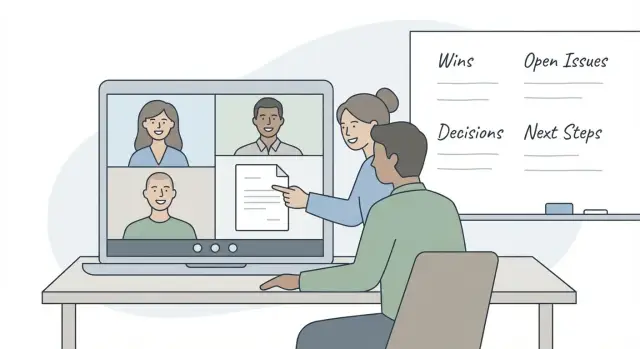
What this call is for (in plain terms)
A weekly fix review call is a quick check for one thing: are we actually done with the fixes we think are done?
The point is to catch misunderstandings early, before they turn into rework. Most wasted time doesn’t come from hard bugs. It comes from people using the same words but meaning different things, like “fixed,” “tested,” or “ready to ship.”
This isn’t a normal status update. A status meeting sounds like progress (“I worked on auth”). A fix review is about verification: what changed, how you know it works, and what could still break in real use.
It’s also not two common time-wasters:
- Not a deep debug session. If something is still broken, capture the next step, assign an owner, and take debugging offline.
- Not a blame session. The goal is clarity, not fault.
You usually need this call when you see patterns like surprises after release, vague updates (“should be fine now”), the same bug returning, “works locally but fails in staging,” or hand-offs where no one can say what “done” means.
This matters even more with inherited or AI-generated code, where changes can look correct but hide fragile logic, exposed secrets, or missing edge cases.
Who should be on the call (and what each person does)
This call works best with clear roles. Without them, you get a lot of talking and very few decisions.
Pick one facilitator. Their job is to keep time, move topic to topic, and stop side debates. They don’t need to be the most senior person. They just need the authority to say, “We’ll park that and decide the next step.”
A small group is enough:
- Facilitator (timekeeper): runs the agenda and calls for decisions.
- Fix owner (builder): explains what changed, what they tested, and what they couldn’t verify.
- Decision maker (sign-off): chooses tradeoffs (ship, hold, roll back, rework) and resolves scope questions.
- QA or user representative (reality check): confirms the fix matches real use, not just “it works on my machine.”
- Scribe (notes): records decisions and action items.
Not everyone has to speak. If someone is there to stay informed, set the expectation: they listen unless the facilitator calls on them.
Agree on one place to capture decisions and action items (one doc, one ticket, or one shared note). For every topic, the scribe should capture three things: what was decided, who owns the next step, and when it’s due.
10 minutes of prep that saves 30 minutes later
This call goes well when the “thinking” happens before the meeting. If everyone shows up looking at the same list, in the same environment, with the same definition of “done,” you spend the time deciding, not arguing.
Send a short message 10 minutes before the call with only the fixes you’ll review: items that changed since last week (merged, deployed to staging, or newly marked “ready for review”). Anything unchanged stays off the call.
Each owner should come with three facts, not a story:
- What changed
- How it was tested (a specific check, not “clicked around”)
- What’s still unknown
Unknowns aren’t a failure. They’re the whole point of the review.
Confirm the environment in writing before you meet. A lot of meeting time disappears when one person is reviewing staging while another is talking about production. If production is included, name the exact release.
Also collect blockers in advance so the call doesn’t turn into a surprise debate. If a blocker needs problem-solving, decide whether it belongs in this call or in a separate session.
A simple 25-minute agenda (step by step)
Set this as a recurring 25-minute slot (20 to 30 minutes is fine) and keep a hard stop. If you can’t finish, book a follow-up with only the people who need to be there.
The agenda
- 0:00-2:00 | Start on time, confirm the goal. “We’re here to confirm what’s actually fixed, what’s next, and what’s blocked.”
- 2:00-7:00 | Last week’s commitments. Go through the action list: done, not done, or partial. If something slipped, give the reason in one sentence.
- 7:00-18:00 | Review new fixes in priority order. One at a time: what changed, how it was tested, and what “done” means for the user.
- 18:00-22:00 | Risks and blockers. Anything that could break again, anything unclear, and anything waiting on a decision.
- 22:00-25:00 | Decisions and commitments (spoken out loud). Owner, next step, and deadline for each item.
After the call, send a short note with commitments only (not a transcript). That’s often enough to prevent “I thought you meant…” later.
Parking lot rule (so the call doesn’t drift)
If a deep technical debate starts (architecture, refactors, “should we switch libraries?”), park it. Schedule a separate follow-up with the right people and a clear question to answer. The review call is for alignment, not for solving every hard problem live.
How to talk about fixes so everyone means the same thing
Most confusion comes from shared words with different meanings. The simplest fix is to agree on a small set of status labels and use them the same way every week.
Use four statuses and say them out loud:
- Done: Works as expected, and one risky edge case was checked.
- Done but needs verification: The change is in, but someone other than the coder still needs to confirm it.
- Blocked: Progress can’t move without a specific input (access, decision, missing info).
- Not started: No real work has begun.
Keep “Done” strict. “It works on my machine” isn’t done. Done means the expected behavior works for a normal user, in the environment that matters, plus at least one edge case (wrong password, expired session, empty input, slow network, fresh install).
For every item marked Done (or Done but needs verification), ask for one sentence on testing. Manual steps are fine. Example: “Logged out, tried a wrong password, then a correct password, and refreshed to confirm the session stayed active.” That single sentence often reveals what wasn’t checked.
Also label guesses as guesses. If someone says, “I think the 500 is coming from the database,” ask: “Is that confirmed or a hypothesis?” Unknowns should be visible, not buried inside confident language.
A habit that helps: end each update with user impact. “Customers can’t reset passwords” is clearer than “endpoint is failing.”
How to turn discussion into clear decisions
A fix review only helps if it ends with a clear outcome. If you leave with “sounds good” or “we’ll see,” the same issue returns next week and trust drops.
Keep the decision focused on one fix at a time. After a quick recap and the latest test result, ask a closing question that forces clarity:
“What would make us say this is not done?”
People will mention edge cases, missing access, unclear copy, or a step nobody tested. That surfaces hidden requirements without turning the call into a debate.
When you decide, say it out loud and write it down in the same words:
- Ship: goes out now, with the acceptance check that proved it.
- Hold: technically OK, but waiting on timing or coordination.
- Rollback: causing harm, revert to the last known good version.
- Rework: not acceptable yet, needs more changes before another review.
Assign one owner per action item. Shared ownership usually means nobody feels responsible. If two people must collaborate, still pick one driver and one supporter.
Capture dependencies as “waiting on X,” with a name and a date. That keeps delays from turning into surprises.
Misunderstandings this call should catch early
Most delays aren’t “hard bugs.” They’re mismatched assumptions.
One common trap is “fixed.” For one person it means “the error message is gone.” For another it means “works end-to-end, on the same build users will get.” When you hear “fixed,” ask one follow-up:
“What did you verify, and where?”
Scope creep is another quiet problem. A small fix can quietly become a redesign: “While I was in there, I also changed the flow.” That might be the right move, but it changes risk, estimate, and what needs review.
Version confusion is sneaky too. People may be talking about different branches, different builds, or different environments. Anchor the discussion by naming the exact build, commit, or release being discussed, and confirm everyone is looking at the same thing.
Pay extra attention when a fix touches login, permissions, payments, or data. Those changes often look “done” until real users hit them.
Early warning signs to flag:
- “It works on my machine” with no shared build to test
- “I had to adjust the database” without a rollback plan
- “It’s a small change” but it touches auth, roles, billing, or user data
- “I updated the UI too” when the ticket was only a bug fix
- No one can say what “done” means in one sentence
Example scenario: reviewing a “fixed” login that still fails
Someone says, “Login is fixed.” Support says, “Some users still can’t sign in.” That’s where the call earns its keep.
Get one clean story on the table:
- What exactly changed?
- How was it tested?
Often you’ll hear: “I tested with my account on my laptop.” That’s a start, but it may not match real users.
Ask a few questions that surface the gap:
- Which environment was tested (local, staging, production)?
- What were the exact steps and expected result?
- Which user types were tried (new user, existing user, admin, invited member)?
- Was it tested in a fresh browser session or an old one?
- What does the failure look like (message, redirect loop, blank screen)?
Common missing details: it works only for users who verified their email, only for one role, or only when old cookies hide the real behavior.
Decide next actions while everyone is listening:
- Reproduce using a real failing user case and write the exact steps.
- Add one simple check (for example: block unverified emails with a clear message).
- Confirm role permissions for the failing account.
- Retest in the same environment where users are failing.
- Mark it “done” only after the agreed test passes.
Common mistakes that make the meeting useless
The fastest way to waste this meeting is to treat it like a group chat with screensharing and guesswork.
The biggest failure is live debugging. Ten minutes of “try this” turns into twenty, and you still don’t have a clear answer on what’s fixed, what isn’t, and what happens next.
Common mistakes:
- Turning the meeting into troubleshooting instead of confirming outcomes
- Accepting “works on my machine” without a verification step
- Packing in too many items, so hard issues get rushed
- Ending with fuzzy next steps (“we’ll look into it”) and no owner or deadline
- Giving a minor UI tweak the same attention as a security bug
If something fails during review, capture what happened (exact steps, error, account used), assign an owner, and move on. Debugging happens after the call.
Also, don’t review ten fixes if you can only verify three properly. Fewer items, clearer checks, concrete actions.
Quick checklist for the facilitator
Your job is to keep the call grounded in facts and end with decisions.
Before the call (5-10 minutes)
Send the agenda and the list of fixes, even if it’s short. For each fix, make sure you have an owner, current status, a test note, and the next action. Flag risky areas so they don’t get buried (auth, secrets, payments, user data).
During the call
Keep updates short and decision-focused. Ask one question per fix:
“What changed, how did you test it, and what happens next?”
If testing is vague (“seems fine”), push for a concrete check in the environment that matters.
To close, repeat decisions out loud, including who owns each next step and when it will be checked again.
Next steps after the call (and when to bring in help)
End with a clear written trail. A short follow-up note is enough if it removes guesswork. Send it the same day.
Include:
- Decisions made (what you will do, and what you will not do)
- Owners (one name per action)
- Dates (next checkpoint and expected finish)
- Open questions (what’s blocked, and who will answer)
If a topic needs more time, don’t stretch the weekly call. Park it and book a separate deep-dive with 2 to 4 people, and a specific goal like “confirm root cause” or “pick the safest fix.”
Sometimes the best next step is to stop patching and get a proper diagnosis, especially with inherited AI-generated apps where fixes keep breaking something else.
Signs you should bring in help
- The same bug returns after a merge or deploy
- Auth, payments, or data access behave differently across environments
- Fixes require touching many files with no clear reason
- You keep finding exposed secrets, risky input handling, or unclear permissions
- Nobody can explain the system without opening the code
If that sounds familiar, FixMyMess (fixmymess.ai) offers a free code audit and remediation for broken AI-generated apps, including diagnosis, logic repair, security hardening, refactoring, and deployment prep.
Close your follow-up note with one sentence: what “done” will look like by the next review call.
FAQ
What’s the difference between a fix review call and a status meeting?
A weekly fix review call is for verifying outcomes, not reporting activity. You’re checking what changed, how you know it works, what’s still unknown, and whether it’s truly ready to ship in the environment that matters.
When do we actually need a weekly fix review call?
Run it when “fixed” keeps being unclear, bugs reappear, releases bring surprises, or you hear “works locally” a lot. It’s especially useful when handoffs happen and nobody can say what “done” means in one sentence.
Who should be in the call for it to work?
Keep it small and role-based: a facilitator to keep time and focus, the fix owner to explain changes and testing, a decision maker to sign off, and someone to sanity-check real user behavior. Add a scribe if notes often get lost or disputed.
What’s the minimum prep that makes the call faster?
Have each owner arrive with three facts: what changed, how it was tested, and what’s still unknown. Also confirm the exact environment and build being discussed so you’re not talking past each other.
What agenda length works best, and how should time be used?
Default to a 25-minute recurring slot with a hard stop. Spend a couple minutes on last week’s commitments, most of the time on reviewing new fixes, and end by stating decisions, owners, and deadlines out loud.
How do we define “done” so everyone means the same thing?
Use a small set of shared statuses and say them the same way every week, with “Done” being strict. A fix is only done when it works for a normal user in the target environment and you’ve checked at least one risky edge case.
What do we do when something fails during the review?
Don’t debug live; capture the exact failure steps, the environment, and what you expected to happen, then assign an owner and take it offline. The call should still end with a clear next step and a date for re-checking.
How do we turn discussion into a clear decision every time?
A simple rule is to end each item with a closing question that forces clarity, like “What would make us say this is not done?” Then choose one outcome such as ship, hold, rollback, or rework, and write it down in the same words.
What are the most common misunderstandings this call should catch early?
Version confusion is the big one, so always name the exact release or build being reviewed. Also watch for quiet scope creep like “I changed the flow,” because it changes risk and what needs verification before sign-off.
Why is this call extra important for AI-generated or inherited code, and when should we bring in FixMyMess?
AI-generated or inherited code often hides fragile logic, missing edge cases, exposed secrets, or permission gaps that don’t show up in quick local tests. If fixes keep breaking something else or nobody can explain what’s happening without opening the code, FixMyMess can run a free code audit and then remediate the app with diagnosis, logic repair, security hardening, refactoring, and deployment prep, usually within 48–72 hours.