What a beta label means: limits, support, and fixes
What beta label means for customers and your team: clear limits, support response times, and what will not be fixed yet, so trust stays intact.
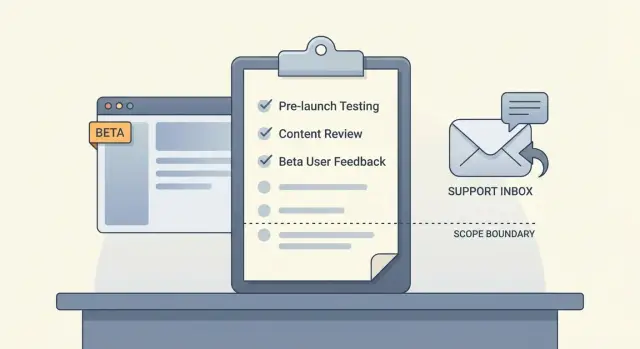
What a beta label should communicate
People get upset about “beta” when it’s used as a shield. They sign up expecting a working product, hit a problem, and get told “it’s beta” with no other details. That feels like moving the goalposts.
A good beta label doesn’t mean “unfinished.” It means “some parts are still unknown.” “Unfinished” can be honest because you can name what’s missing. “Unknown” is different. You haven’t seen the app used at scale, in messy edge cases, or by people who don’t think like you. Beta is your way of saying: we’re testing those unknowns, and here’s how we’ll handle them.
The goal is fewer surprises for users and fewer late-night fires for your team.
When someone asks what a beta label means, your answer should be clear and consistent. A strong beta message makes three promises:
- Limits (scope): what’s included, what platforms you support, and what “good enough” looks like right now.
- Support timing: when you read reports, how fast you reply, and what counts as urgent.
- Not-yet fixes: what you won’t fix during beta, even if users ask, and why.
A simple trust saver: you ship a beta signup flow, and an early user reports password reset fails on older browsers. If your beta limits already said “latest Chrome/Safari only,” the user might still be annoyed, but they won’t feel tricked. Your team also avoids a time sink.
If your beta came from an AI-generated prototype, be extra direct. Hidden issues like auth bugs, exposed secrets, and fragile logic are common. Naming boundaries up front prevents confusion later.
Beta vs alpha vs production in plain language
If you’re wondering what a beta label means, think: the product is usable, but still being proven in the real world. People can rely on the core flow while you finish the last 10 to 20 percent.
Alpha is earlier. You’re still finding big problems, changing direction, and breaking things on purpose to learn fast. Production is later. Most users can depend on it for everyday work, with fewer surprises.
A simple way to separate them:
- Alpha: the main idea works sometimes, but it’s not stable yet. Expect missing parts and frequent changes.
- Beta: the main idea works most of the time. Expect rough edges, but not constant breakage.
- Production: the main idea works reliably. Changes are careful, and issues are handled like incidents.
For a beta to be fair to users, some parts must already be stable. Usually that means the minimum trust builders: signup and login, saving data, payments (if you charge), and not losing work. If those are shaky, you’re still in alpha.
Beta is also the right place for things that can be a little rough: UI polish, minor performance hiccups, unclear wording, and rare edge cases. But beta isn’t “no support.” A beta user should know how to get help and how quickly you’ll reply.
A quick test for users: choose beta if you can tolerate small annoyances and occasional workarounds and you want early access. Skip beta if you need guaranteed uptime, strict compliance, or a tool your team must rely on every day.
Define the limits: what is in scope and what is not
A beta label only builds trust when people know what they’re signing up for. If users have to guess, they’ll assume everything should work, everywhere, for everyone. That’s how “what a beta label means” turns into angry support tickets.
Start by writing the smallest set of core flows you want real users to test. Keep it short and practical, not a wishlist.
In scope (beta core flows):
- Sign up, log in, and password reset for one user type
- One primary job-to-be-done (for example, create and complete a task)
- Basic notifications (pick one: email or in-app)
- Billing only if it’s required for the core flow
- One export or download users need to trust the product
Then publish the limits that quietly break products in real life, so users don’t discover them the hard way. For example: web-only, limited regions, a single role (no teams), capped data volume during beta, and no third-party integrations.
Define success metrics that show product health, not vanity numbers: percent completing the core flow, time-to-first-success, weekly retention for your target persona, and bug rate per active user.
Also name the risks you’re accepting for now in plain language: occasional UI glitches, slow performance at peak hours, or manual steps behind the scenes.
Commit to a simple weekly review rhythm: what you’ll measure, what you’ll decide, and what might change.
What you will fix now vs later
A beta label gives you permission to be imperfect, but not vague. Users forgive bugs when they know what happens when something breaks, and how fast you react.
Sort issues into clear severity levels and tie each one to action:
- Critical: data loss, wrong charges, sign-in broken for many users.
- High: core flow works but fails often (checkout errors, invites not sending, uploads timing out).
- Medium: annoying but workaround exists (slow pages, confusing errors, settings that don’t always save).
- Low: polish (typos, spacing, minor layout issues on one device).
Then map each level to what you do now vs later. Promise only what you can actually deliver:
- Fix fast (same day or next business day): Critical, most High, and anything that risks security or sensitive data.
- Queue (next sprint or planned date): Medium issues and small improvements that reduce confusion.
- Log (no date yet): feature requests and Low issues.
- Out of scope for beta: requests that change direction or add heavy new scope.
Be blunt about security and data loss. If something could expose secrets, leak user data, or delete important data, treat it as Critical even if one user reports it.
Also write down when you’ll pause the beta. If you find an auth bypass, widespread billing errors, or repeated data corruption, stop new signups and focus only on fixes until it’s safe.
Support response times: set a promise you can keep
Support is part of what a beta label means. Users tolerate rough edges when they can reach you, get a clear reply, and see progress.
Pick one support channel people can use without extra setup. For many betas, that’s a simple email inbox or a single in-app “Report a problem” form. If you spread support across three places, you’ll miss messages.
Set response targets by severity, not by vibes:
- Critical (app down, login broken, payments failing): respond within 2 hours during business hours
- High (security issue, data-loss risk, core feature blocked): respond within 8 business hours
- Medium (workaround exists): respond within 2 business days
- Low (cosmetic, nice-to-have): respond within 5 business days
Be clear about business hours vs off-hours. If you only cover weekdays, say so.
Define what “response” means: acknowledgement plus a next step, not a full fix. Example: “We reproduced it, we’re investigating, and we’ll update you by tomorrow,” or “We need one more detail to proceed.”
Help users send useful reports. Ask for: what they were trying to do, what happened instead, steps to reproduce, screenshots or the exact error, device and browser (or app version), and their account email or user ID (never passwords).
What will not be fixed yet (and how to say it)
A beta isn’t a promise to polish everything. Part of what a beta label means is choosing learning over perfection, and that requires clear no’s.
Common items to keep out of scope during beta include minor design tweaks, rare edge cases (unusual devices or file formats), new integrations, deep performance tuning, and complex migrations.
Saying no works best when it’s framed as a tradeoff, not a debate. Keep it simple, thank the person, and explain what you’re protecting (time, stability, the learning goal).
A helpful template:
“Thanks, this is useful. We’re not fixing [request] during beta because it’s outside the current scope. For now, you can [workaround]. We’ll log it as feedback and revisit after we’ve validated the core flow.”
Be careful with timelines. If you don’t know, don’t hint. “Soon” can do more damage than a direct “not during beta.”
Step by step: publish your beta rules in one day
A beta label only helps if users can find the rules fast. Aim for one page of plain language, plus a short message inside the product so nobody has to hunt.
Morning: write the one-page beta policy
Keep it readable in two minutes. Use clear “yes/no” lines instead of big promises.
Include:
- what the beta is for
- what you support (and your hours)
- what you fix quickly (blocking bugs, security issues, data loss)
- what you might fix later
- what beta doesn’t include
Add one sentence about risk: users should expect rough edges and occasional changes.
Midday: make it impossible to miss
Put a short beta message where users take action (signup, dashboard, or settings). Keep it one or two lines and include a simple way to contact support.
Example: “This is a beta. Some features may change. If something breaks, report it here and include steps to reproduce.”
Afternoon: prepare support and decisions
Decide who owns triage and who can ship, rollback, or pause a feature. Even a tiny team needs a clear “on point” person.
Create a template reply you can send in under a minute:
Thanks for the report. We’re in beta, and we treat bugs that block login, payments, or data safety as urgent.
Please send: what you tried, what you expected, what happened, and a screenshot if possible.
We’ll reply within [X hours/days] with either a fix ETA or a workaround.
Before the day ends, set a weekly 30-minute review. Use it to confirm top issues, close duplicates, choose what ships, and update the beta policy if scope changed.
Common mistakes that make users lose trust
Calling something “beta” doesn’t give you a free pass on the basics. Users accept missing features. They rarely forgive avoidable breakage, silence, or shifting promises.
The fastest trust killer is treating critical bugs as “beta roughness.” If people can’t log in, can’t pay, or see other users’ data, that’s a stop-ship issue. Treat security and data integrity as non-negotiable.
Vague timelines are another problem. “Soon” and “we’re working on it” sound like you’re hiding the truth. If you don’t know the date, say what happens next and when you’ll update.
Patterns that usually backfire:
- promising 24/7 support as a small team
- replying fast once, then disappearing next time
- letting feature requests pull you away from stability
- fixing symptoms while ignoring root causes
- keeping known issues in your head instead of writing them down
Known issues deserve daylight. If there’s a workaround, share it. If there isn’t, say that clearly and explain who’s affected. People feel respected when you’re direct.
A realistic example: you ship a beta built from an AI-generated prototype. Early users report random logouts and password reset failures. If you reply “we’re on it” for a week, they leave. If you say “we’ve confirmed an auth bug, we’ll post an update by Friday, and until then use email login only,” many will stay.
Trust comes from clear limits, honest updates, and consistent follow-through.
Quick checklist before you call it beta
Before you put “beta” on your product, write down what you want users to believe and what you can actually deliver. If those don’t match, “beta” turns into an excuse and trust drops.
Make sure each item is true, not just planned:
- Your scope is written in one place (what the beta includes and where it works).
- Your most important flows have pass rules (for example: “checkout completes with a receipt”).
- Your support promise is specific and realistic.
- You have a clear “not fixing yet” list users can find easily.
- You have a pause or rollback plan if something breaks badly.
A simple test: ask a friend to read your beta notes and tell you what they expect will happen when something goes wrong. If they assume 24/7 support, zero bugs, or instant feature delivery, rewrite.
A realistic beta example you can copy
A small SaaS called PineDock ships a beta of two things only: onboarding and billing. They say this upfront so users know what a beta label means for this release.
Here is the exact scope statement they publish:
PineDock Beta Scope (v0.9)
- Included: account signup, email login, onboarding checklist, plan selection, checkout, invoices, cancel and resume.
- Not included: team accounts, integrations, data export, custom domains, and mobile app.
- Known limits: onboarding emails may arrive late; invoices can take up to 5 minutes to appear.
They also set a support promise with clear severity levels:
- S1 (can’t pay or can’t log in): first reply within 4 hours (weekdays)
- S2 (paid feature broken): first reply within 1 business day
- S3 (bug with workaround): reply within 2 business days
- S4 (how-to questions): reply within 3 business days
When users report issues, PineDock answers consistently:
User report #1: “Checkout fails with a card that works everywhere else.” Team response: “Marked S1. We can reproduce it. Temporary fix: try another browser. Next update in 2 hours.”
User report #2: “Onboarding checklist resets after I refresh.” Team response: “Marked S2. We’ll patch it today. If you need help now, reply with a screenshot and we’ll restore progress manually.”
User report #3: “Can you add Slack integration?” Team response: “Thanks. This is out of scope for beta. We logged it as a request and will revisit after billing is stable.”
Before removing the beta label, they add monitoring for failed payments, write a short status message template for incidents, and freeze new features for two weeks to focus only on fixes.
Next steps: how to move from beta to production
A beta label shouldn’t last forever. Decide what “done with beta” looks like and write it down. That’s the practical side of what a beta label means: you’re testing with real people, but you have a path to stability.
Set exit criteria you can measure
Pick a few signals that are easy to track, and leave beta only when you hit them for a sustained period:
- crash-free sessions above a set threshold for 2-4 weeks
- no known critical security issues (and secrets removed from the repo)
- support volume is manageable
- core flows pass a repeatable checklist (signup, login, pay, logout)
- performance stays within your target on typical devices
Plan the work in the right order: stabilize first (bugs that break core flows), secure second (auth, data access, injections, exposed keys), then polish (copy and UI consistency). If you polish too early, you’ll redo it after the next round of fixes.
Keep a short, weekly change log: what changed, what got fixed, and what’s still rough.
If you inherited an AI-generated prototype and it’s failing in production, a focused audit can surface issues like broken authentication, exposed secrets, and messy architecture before you scale up the beta. FixMyMess (fixmymess.ai) does codebase diagnosis and repair for AI-generated apps, and offers a free code audit to identify problems before you commit.
When you remove the beta label, tell users what improved and what’s still coming, but keep the promise simple: the product is now stable, secure, and supported on a schedule you can keep. "}
FAQ
What should a beta label actually tell users?
A beta label should tell users what’s stable, what’s still being proven, and what to expect if something breaks. It’s not a free pass for basic failures like login, payments, or data safety.
When is it fair to call my product “beta”?
Use beta when the core flow works most of the time and real users can complete the main job without constant breakage. If you’re still changing direction weekly or the basics fail often, call it alpha instead.
How do I define beta scope without sounding vague?
Start with what’s included right now, where it works, and what “good enough” means for this phase. Add the quiet deal-breakers up front, like supported browsers, regions, roles, and data limits, so users don’t discover them by accident.
What must be stable before I invite beta users?
Make signup and login reliable, ensure data saves correctly, and prevent users from losing work. If you charge, billing must be predictable and receipts or invoices should be trustworthy.
What support promise should I make during beta?
Give a response-time promise that you can keep, and define what counts as a response. A good default is: acknowledge quickly with a clear next step, then follow up on a predictable schedule.
What information should I ask for in a beta bug report?
Ask for the goal, what they expected, what happened, and exact steps to reproduce. Also request device and browser or app version, plus any error text, and never ask for passwords or sensitive secrets.
What issues should I fix immediately during beta vs later?
Treat anything involving security, wrong charges, data loss, or widespread login failure as urgent and fix-first. Cosmetic issues and feature requests can wait, but you should still reply clearly so users don’t feel ignored.
How do I say “we’re not fixing that during beta” without upsetting users?
Say no by naming the current scope, offering a workaround if you have one, and committing only to logging the request. Avoid vague promises like “soon” unless you can state a real date or decision point.
When should I pause a beta and stop new signups?
If you find a serious auth bypass, leaking data, repeated billing errors, or ongoing data corruption, pause new signups. Beta should slow feature work when safety or trust is at risk, not push through and hope it’s fine.
What if my beta was built from an AI-generated prototype and keeps breaking?
AI-generated prototypes often hide fragile auth, exposed secrets, and logic that breaks under real usage. If your beta keeps failing in production-like conditions, a targeted audit and repair service like FixMyMess can diagnose and fix the codebase so the beta rules you publish match reality.